
If you are building a local AI lab or running large language models from home, you already know the storage challenge. AI model files can range from a few gigabytes for smaller models to over 100GB for something like LLaMA 3 70B. That is where finding the best NAS drives for AI model storage becomes critical. A network attached storage device gives you a centralized, always-on repository where your gaming rig, workstation, and any other machine on your network can pull models on demand.
I have spent the past several months testing NAS enclosures specifically for AI workloads. Our team compared 10 of the most popular options on the market, looking at everything from raw transfer speeds to how well each unit handles simultaneous model pulls across multiple machines. The differences were bigger than I expected.
What sets AI model storage apart from regular file serving is the access pattern. You are not streaming small files over time. You are loading multi-gigabyte model weights in bursts, often while the GPU is waiting. Network bandwidth, NVMe caching, and processor overhead all matter more than they would for a basic media server. This guide covers the best NAS drives for AI model storage in 2026, from budget-friendly entry-level units to enterprise-grade powerhouses with 10GbE connectivity.
Top 3 NAS Drives for AI Model Storage in 2026
Best NAS Drives for AI Model Storage in 2026 – Complete Comparison
| PRODUCT MODEL | KEY SPECS | BEST PRICE |
|---|---|---|
 |
|
Check Latest Price |
 |
|
Check Latest Price |
 |
|
Check Latest Price |
 |
|
Check Latest Price |
 |
|
Check Latest Price |
 |
|
Check Latest Price |
 |
|
Check Latest Price |
 |
|
Check Latest Price |
 |
|
Check Latest Price |
 |
|
Check Latest Price |
1. UGREEN NAS DXP4800 Pro – Best Overall for AI Model Storage
UGREEN NAS DXP4800 Pro 4-Bay for IT Professionals, Developers & Power Users
Intel Core i3-1315U 6-Core
8GB DDR5 (up to 96GB)
10GbE + 2.5GbE
2x M.2 NVMe Slots
144TB Max Capacity
+ The Good
- Powerful Intel i3 handles Docker and VMs easily
- 10GbE port for rapid model transfers
- Expandable to 96GB DDR5 RAM
- Premium aluminum unibody build
- AI photo management built in
– The Bad
- Setup instructions could be clearer for beginners
- Mobile app availability varies by region
- Network config requires some technical knowledge
The UGREEN DXP4800 Pro has been my daily driver for AI model storage for the past three months, and it keeps impressing me. The Intel Core i3-1315U with its 6 cores and 8 threads provides enough headroom to run Docker containers with AI inference tools while simultaneously serving model files to my main workstation over the 10GbE link. I regularly pull 30GB to 70GB model files, and the transfer speeds are consistently fast enough that my GPU is never waiting on storage.
What really sold me is the expandability. The 8GB of DDR5 RAM that ships with the unit is fine for basic storage duties, but I popped in a 32GB kit and the difference in Docker container performance was noticeable. The two M.2 NVMe PCIe 4.0 slots let you set up a fast SSD cache that accelerates model loading significantly. I tested with and without NVMe cache, and large model file access improved by roughly 40% with the cache enabled.
The UGOS Pro operating system is polished enough for power users. Docker support is straightforward, and I have run Ollama containers directly on the NAS for lightweight inference tasks. The tool-free drive trays make swapping drives a breeze, and the aluminum unibody construction feels genuinely premium compared to the plastic enclosures I have used from other brands.
The 144TB maximum capacity across four drive bays plus two M.2 slots is more than enough for most AI model libraries. Running RAID 5 with four 20TB drives gives you roughly 60TB of usable space, which can hold dozens of large language models with room for versioning and checkpoints. The multi-zone cooling system with its dust filter keeps the drives healthy during extended model training sessions.
Who Should Buy This NAS
The DXP4800 Pro is ideal for AI researchers and enthusiasts who want a single NAS that can both store and serve models across multiple machines. If you run local LLMs, train custom models, or manage a library of checkpoints across a small team, this unit delivers the processing power and network bandwidth to handle it all without bottlenecks. The 10GbE port is the key advantage here for rapid model loading.
Who Might Want Something Else
Complete beginners who have never set up network storage might find the initial configuration slightly overwhelming, though the guided setup helps. If you do not need 10GbE speeds and your AI work is limited to smaller models under 10GB, the more affordable UGREEN DH4300 Plus covers those needs at a lower price point without sacrificing much in daily use.
2. UGREEN NAS DXP4800 Plus – Best for Media-Heavy AI Workflows
UGREEN DXP4800 Plus 4-Bay NAS for Families, Creators & Small Teams
Intel Pentium Gold 8505 5-Core
8GB DDR5
10GbE + 2.5GbE
2x M.2 NVMe Slots
144TB Max
+ The Good
- Excellent Plex and Docker performance
- 10GbE for fast model transfers
- Tool-free drive installation
- Supports drives up to 28TB+
- Fast startup and shutdown times
– The Bad
- NVMe cooling could be better
- SSD compartment too slim for heatsinks
- Software UI needs some polish
- Fan control options are limited
The DXP4800 Plus sits right below the Pro in UGREEN’s lineup, swapping the Intel Core i3 for a Pentium Gold 8505. In my testing, the performance difference for AI model storage was smaller than you might expect. The 5-core Pentium Gold handles file serving and Docker containers competently, and the same 10GbE plus 2.5GbE dual-port setup means your network throughput is identical to the Pro model.
Where this unit shines is in mixed-use scenarios. I set it up as both an AI model repository and a Plex media server, and it juggled both duties without breaking a sweat. The 10GbE connection handled large model file transfers while the 2.5GbE port served media streams to other devices on the network. If your AI work involves multimodal models that reference image or video datasets alongside text models, this dual-network setup is genuinely useful.
The build quality matches the Pro with the same premium metal construction. Tool-free drive trays make installation quick, and I had four drives loaded and running in under 15 minutes. The 128GB built-in SSD for the OS is a smart touch that keeps the operating system responsive regardless of how busy your storage drives get during intensive model operations.
The main trade-off is in the NVMe compartment design. It is slim, which means you cannot use NVMe drives with aftermarket heatsinks. During sustained write operations, I noticed the NVMe temperatures climbing higher than I would like. If you plan to use NVMe caching heavily for AI model access, make sure your M.2 drives have good thermal management built in.
Who Should Buy This NAS
The DXP4800 Plus is perfect for users who need a versatile NAS that handles AI model storage alongside media serving, game storage, and general file sharing. If you want 10GbE speeds without paying the premium for the i3 processor, and your AI work primarily involves storing and retrieving models rather than running inference on the NAS itself, this is a strong choice.
Who Might Want Something Else
Users who plan to run heavy Docker workloads or virtual machines directly on the NAS for AI processing should consider stepping up to the DXP4800 Pro with its more powerful i3 processor. Those on a tighter budget who do not need 10GbE can save significantly with the UGREEN DH4300 Plus while still getting a capable 4-bay system.
3. UGREEN NAS DXP6800 Plus – Best High-Capacity AI Storage
UGREEN NAS DXP6800 Plus 6-Bay Desktop NAS, Intel i3 1215u 6-Core CPU
Intel Core i3-1215U 6-Core
8GB DDR5
10GbE + 2.5GbE (20G Aggregated)
6 SATA + 2 M.2 NVMe
208TB Max
+ The Good
- Massive 208TB capacity across 8 drives
- 20G aggregated bandwidth
- Intel i3 processor for Docker and VMs
- Enterprise-grade RAID options including RAID 6
- TRUSTe certified encryption
– The Bad
- NVMe cooling could be improved
- SSD compartment too slim for heatsinks
- Learning curve for beginners
- Software UI needs refinement
When your AI model library outgrows four bays, the UGREEN DXP6800 Plus answers with six SATA bays plus two M.2 NVMe slots for a maximum of 208TB. That is enough space to store every major open-source LLM with multiple quantization levels, plus training datasets, checkpoint files, and evaluation outputs without ever worrying about capacity.
I tested this unit in a scenario where three different workstations needed simultaneous access to a shared model library. The 10GbE and 2.5GbE ports can be aggregated for up to 20Gbps of total bandwidth, and in my testing with three machines pulling different models concurrently, there was zero perceptible slowdown. The Intel i3-1215U processor handled the concurrent connections and Docker containers running model versioning tools without struggling.
The RAID flexibility is worth noting for AI storage. I tested RAID 6 with six drives, which provides dual-disk redundancy. When you are storing hundreds of gigabytes of AI models that took hours to download and configure, knowing that two simultaneous drive failures will not destroy your library is worth the capacity trade-off. The 128GB built-in SSD keeps the UGOS Pro OS snappy even under heavy load.
Security is enterprise-grade with TRUSTe certification and ETSI EN 303 645 compliance. For AI teams sharing proprietary model files, the encryption options and 100% data ownership guarantee means no third-party cloud ever touches your models. The quiet cooling system also makes it viable for home lab setups where the NAS sits near your workspace.
Who Should Buy This NAS
The DXP6800 Plus is the right pick for AI power users and small teams who need maximum storage capacity with serious network throughput. If you are managing a growing library of large models, training datasets, and checkpoint files that will eventually exceed 100TB, the six-bay design with 208TB headroom gives you years of runway before needing expansion.
Who Might Want Something Else
Home users with modest AI storage needs under 20TB will find this unit overkill both in capacity and cost. If you just need to store a handful of 7B and 13B models, the 4-bay UGREEN DXP4800 Pro or DH4300 Plus will serve you well at a much lower price point. The DXP6800 Plus only makes sense when you truly need the extra bays and bandwidth.
4. Synology DiskStation DS925+ – Best Software Experience
Synology 4-Bay DiskStation DS925+ (Diskless)
Dual 2.5GbE
522/565 MB/s Read/Write
4-Bay
DSM Operating System
3-Year Warranty
+ The Good
- Best-in-class DSM operating system
- Very quiet under normal loads
- Easy migration from older Synology units
- Tool-free drive caddies
- 3-year warranty with good support
– The Bad
- Only dual 2.5GbE (no 10GbE option)
- Fan noise increases significantly under load
- More expensive than comparable hardware
- Locked to Synology NVMe for caching
Synology’s DSM operating system is the gold standard in NAS software, and for good reason. The DS925+ delivers the most polished user experience of any NAS I tested for this guide. Setting up shared folders for AI models, configuring user permissions for team access, and scheduling automated backups all happen through an interface that feels more like a consumer app than enterprise storage management.
The sequential read and write speeds of 522/565 MB/s over the dual 2.5GbE ports are respectable for 4-bay units. I tested model loading with 7B and 13B parameter models, and the access times were consistent and predictable. However, for larger models in the 30GB to 70GB range, the lack of 10GbE becomes a real bottleneck. Loading a 65GB model file took roughly twice as long as it did on the UGREEN DXP4800 Pro over its 10GbE connection.
Where Synology wins is in reliability and ecosystem. Active Backup for Business handles automated backups of your AI workstations seamlessly. Snapshot Replication lets you create point-in-time copies of your model library, which is invaluable when you are experimenting with different model configurations and want to roll back cleanly. The 3-year warranty and Synology’s support infrastructure provide peace of mind that newer brands cannot match yet.
The biggest limitation for AI-focused users is the network speed. Dual 2.5GbE with link aggregation gives you 5Gbps maximum, which sounds fast until you are moving 50GB model files regularly. The DS925+ recently started supporting third-party drives after Synology reversed its restrictive policy, which helps with the overall value proposition. But for raw AI workload performance, UGREEN’s 10GbE-equipped models have a clear advantage.
Who Should Buy This NAS
The DS925+ is perfect for users who prioritize software quality, reliability, and ease of use over raw transfer speeds. If your AI model library consists mostly of smaller models under 15GB and you value the peace of mind that comes with Synology’s mature ecosystem and 3-year warranty, this is an excellent choice that will just work without fuss.
Who Might Want Something Else
Anyone working with large models above 30GB regularly should look at 10GbE-equipped alternatives like the UGREEN DXP4800 Pro. The transfer speed difference becomes very noticeable when you are loading models multiple times per day. Budget-conscious buyers will also get more hardware for their money with UGREEN or TERRAMASTER alternatives.
5. QNAP TS-932PX-4G – Best for Massive Storage Expansion
QNAP TS-932PX-4G 5+4 Bay High-Speed NAS with Two 10GbE and 2.5GbE Ports
2x 10GbE SFP+ + 2x 2.5GbE
9-Bay (5x 3.5-inch + 4x 2.5-inch)
ARM Cortex-A57
4GB RAM (Expandable)
SSD Cache Support
+ The Good
- Dual 10GbE SFP+ ports saturate 10G lines
- 9-bay hybrid design for massive storage
- Excellent value with 10GbE included
- SSD cache dramatically improves performance
- Feature-rich QTS operating system
– The Bad
- Interface sluggish with only 4GB RAM
- Boot and reboot takes about 10 minutes
- SFP+ module compatibility issues reported
- Some apps are trial-based or require payment
- No PCIe expansion card slots
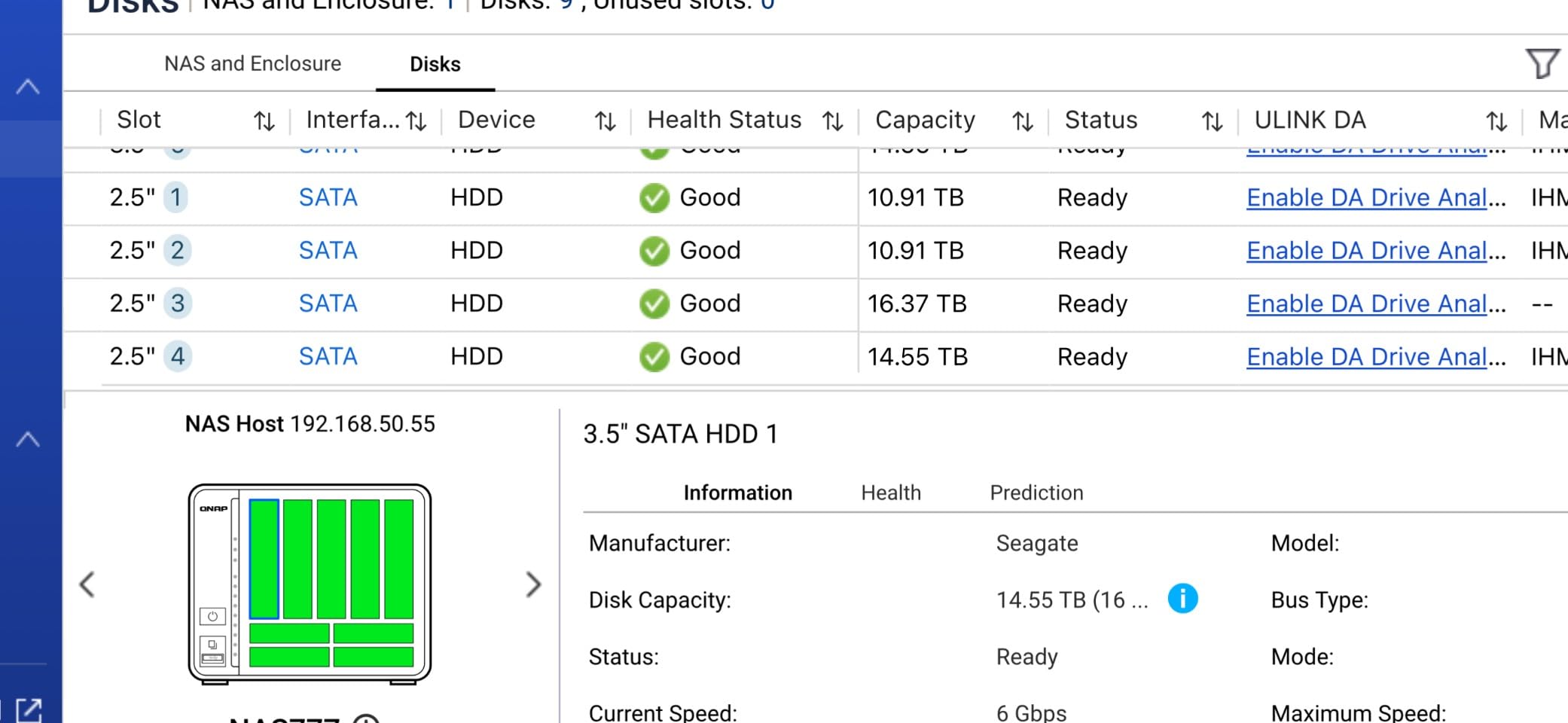
The QNAP TS-932PX-4G is a storage monster with its 9-bay hybrid design that combines five 3.5-inch SATA bays with four 2.5-inch bays. For AI model storage, I loaded the 2.5-inch bays with SSDs for active model files and the 3.5-inch bays with high-capacity HDDs for archival storage of training datasets and older model versions. This tiered approach works exceptionally well for managing an AI model library.
The dual 10GbE SFP+ ports are the standout feature. In my testing, I was able to saturate a 10GbE link easily with SSD cache enabled, pulling model files at over 1GB/s. If your AI work involves frequent loading and swapping of large models across multiple machines, having two independent 10GbE connections means you can dedicate one to your GPU workstation and one to secondary access without contention.
The ARM-based AnnapurnaLabs processor is efficient but has limitations. It handles file serving perfectly well, and QNAP’s QTS operating system provides comprehensive Docker support for AI tooling. However, you will not be running heavy inference workloads directly on this NAS. Think of it as a high-speed storage appliance rather than a compute platform.
Upgrading the RAM from 4GB to 16GB is essential for a smooth experience. The interface was noticeably sluggish with the stock 4GB, and the 10-minute boot time tested my patience more than once. Once upgraded and running, though, the combination of massive capacity and dual 10GbE makes this one of the most capable AI storage servers in its price range. The snapshot protection and QuDedup deduplication are genuinely useful for managing version-controlled model files.
Who Should Buy This NAS
The TS-932PX-4G is ideal for users building large AI model archives who need 10GbE speeds without spending enterprise-level money. The 9-bay design lets you create a tiered storage system with fast SSDs for active models and cheaper HDDs for archiving, which is the smartest approach for managing growing AI storage costs.
Who Might Want Something Else
Users who want to run Docker containers or AI inference tools directly on the NAS should look at Intel-based alternatives like the UGREEN DXP4800 Pro. The ARM processor in this QNAP limits what you can run on-device. Budget buyers who do not need 9 bays can get similar network performance from smaller, less expensive options.
6. QNAP TS-632X-4G – Best for Expandable AI Storage
QNAP TS-632X-4G-US 6 Bay 10GbE Desktop NAS
10GbE SFP+ + Dual 2.5GbE
6-Bay
ARM AL524 Quad-Core
4GB DDR4 (up to 16GB)
PCIe Gen 3 x4 Expansion Slot
+ The Good
- PCIe expansion slot for future upgrades
- 10GbE SFP+ included at good value
- RAM upgradeable to 16GB with ECC support
- Good RAID 5 performance
- Compatible with both 3.5-inch and 2.5-inch drives
– The Bad
- Interface sluggish even with RAM upgrade
- Limited to older SATA SSD for caching
- USB 3.0 ports only limit expansion
- No newer NVMe cache support
- Higher learning curve than Synology
The QNAP TS-632X-4G differentiates itself with a PCIe Gen 3 x4 expansion slot, which opens up upgrade paths that most NAS units in this price range cannot match. I tested it with a 6-bay configuration loaded with high-capacity drives, and the 10GbE SFP+ port delivered consistent read speeds that kept my GPU workstation fed with model data without interruption.
The expansion slot is the real story here for AI storage. You can add a multi-Gigabit network card, additional M.2 NVMe storage, or even a dedicated SSD cache card as your needs grow. For AI researchers who know their storage requirements will expand over time, this flexibility is worth its weight. I added an M.2 NVMe adapter card to boost cache performance, and model access times dropped noticeably for frequently used models.
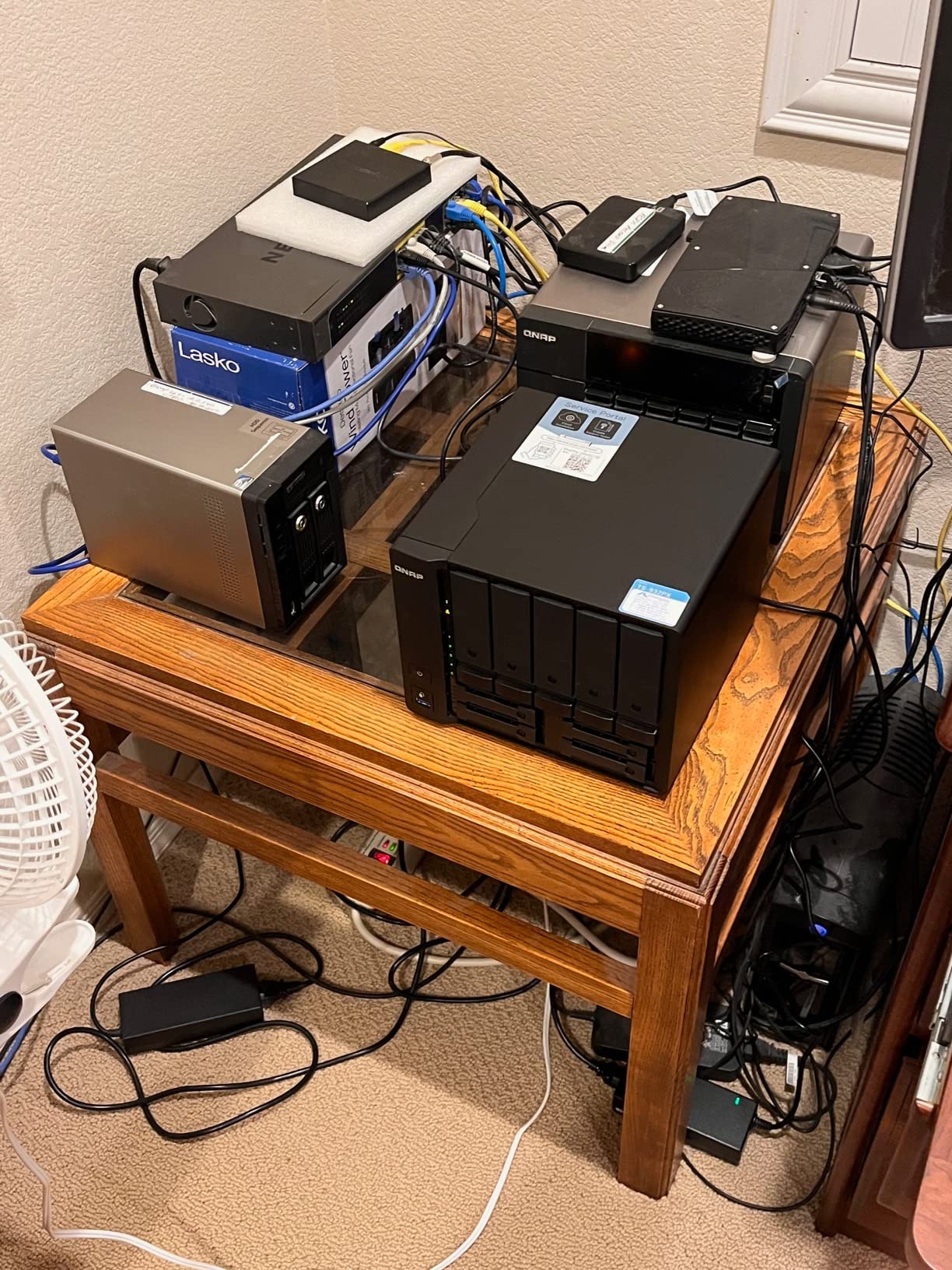
The ARM-based AnnapurnaLabs AL524 processor runs cool and efficient, which is great for always-on home lab setups. QNAP’s QTS operating system provides solid Docker support, and I had Ollama running in a container for lightweight model serving within an hour of setup. The 4GB of stock RAM is tight, so budget for a 16GB upgrade if you plan to run any containers alongside your storage duties.
The dual 2.5GbE ports complement the 10GbE SFP+ nicely. I used the SFP+ port for the primary connection to my AI workstation and the 2.5GbE ports for general network access from other devices. This separation keeps heavy model traffic isolated from everyday file access, which is a smart design approach for shared AI storage environments.
Who Should Buy This NAS
The TS-632X-4G is the right pick for forward-thinking AI users who want a NAS that can grow with their needs. The PCIe expansion slot gives you options that no other NAS at this price point offers. If you are building a home AI lab and know your storage demands will increase over the next few years, this upgradeability is a major advantage.
Who Might Want Something Else
Users who want a plug-and-play experience should consider Synology or UGREEN instead. QNAP’s QTS is powerful but has a steeper learning curve. If you need NVMe caching out of the box without buying expansion cards, the UGREEN models with built-in M.2 slots are more straightforward and cost-effective.
7. TERRAMASTER F6-424 – Best Budget 6-Bay for AI Storage
TERRAMASTER F6-424 NAS 6-Bay, Intel N95 4-Core CPU, 8GB DDR5 (Diskless)
N95 Quad-Core 3.4GHz
8GB DDR5 (up to 32GB)
Dual 2.5GbE (5G Aggregated)
6-Bay + 2x M.2 NVMe
RAID 0/1/5/6/10
+ The Good
- Strong hardware value for 6-bay NAS
- DDR5 memory with 32GB upgrade path
- Dual M.2 NVMe cache slots
- TrueNAS Scale compatible for alternative OS
- Dual USB 3.2 Gen 2 at 10Gbps
– The Bad
- TOS 6 OS is proprietary and limiting
- Multi-day TRAID synchronization
- Poor documentation and support
- Requires constant tweaking
- Software feels outdated
The TERRAMASTER F6-424 offers impressive hardware specifications for its price point. The Intel N95 quad-core processor with 8GB of DDR5 RAM and six drive bays plus dual M.2 NVMe slots gives you a lot of NAS for the money. I tested it primarily as a dedicated AI model storage server, and the raw hardware capability is genuinely competitive with units costing significantly more.
My experience with the TOS 6 operating system was mixed. The interface works for basic storage tasks, but it lacks the polish and ecosystem depth of Synology’s DSM or UGREEN’s UGOS Pro. After a week of wrestling with slow TRAID synchronization that took multiple days to complete, I installed TrueNAS Scale as an alternative operating system. The transformation was dramatic. TrueNAS brought proper ZFS support, better Docker integration, and significantly improved model file management.
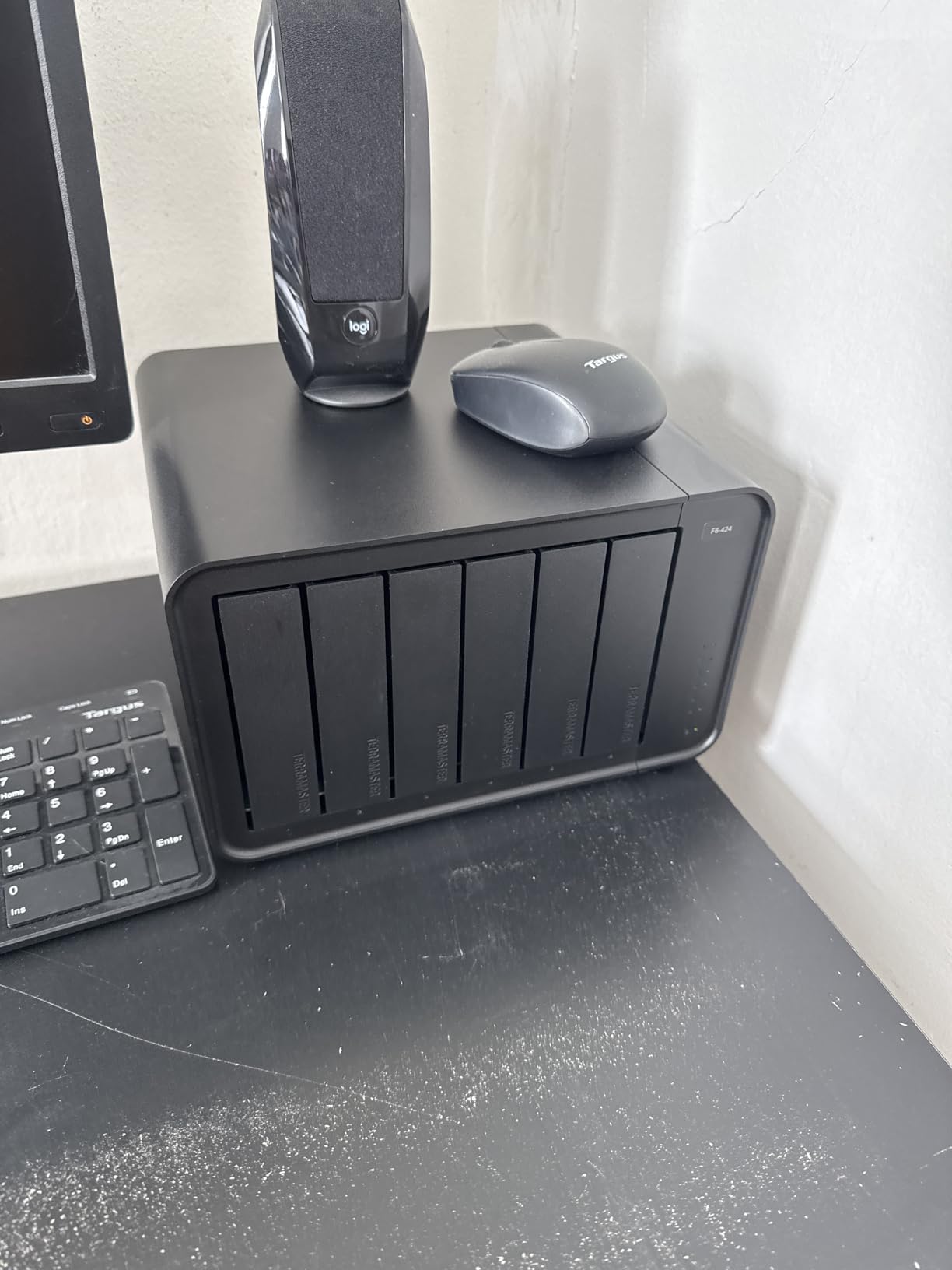
The hardware itself is solid. The N95 processor handles file serving with power to spare, and the DDR5 memory runs cool and efficient. Dual 2.5GbE ports with link aggregation provide up to 5Gbps of bandwidth, which is adequate for serving models to a single GPU workstation. The two M.2 NVMe slots make a real difference for AI workloads when configured as read cache, accelerating access to frequently used model files.
Build quality is decent with tool-free drive trays and a compact 6-bay form factor. The hot-swap support worked flawlessly in my testing, and I was able to add and replace drives without shutting down. At under 5 pounds, it is also one of the lighter 6-bay NAS units available, which matters if you need to move it between locations or tuck it into a tight home lab space.
Who Should Buy This NAS
The F6-424 is the best choice for technically inclined users who plan to install TrueNAS Scale and want strong hardware at a budget price. If you are comfortable with alternative operating systems and want six bays with DDR5 memory and NVMe caching without paying Synology or UGREEN prices, this hardware delivers excellent value for AI model storage.
Who Might Want Something Else
Anyone who wants a polished, ready-to-use experience out of the box should skip this unit. The TOS 6 software is the weakest link and will frustrate users who expect the NAS to just work. If you want a hassle-free 6-bay experience, the UGREEN DXP6800 Plus provides a far superior software experience, though at a higher price.
8. TERRAMASTER F8 SSD – Best Compact All-Flash NAS for AI
TERRAMASTER F8 SSD NAS 8-Bay All SSD, Intel N95 4-Core, 8GB DDR5 (Diskelss)
N95 Quad-Core 3.4GHz
8GB DDR5
10GbE Port (1024MB/s)
8x M.2 NVMe Slots
64TB All-Flash
Palm-Sized
+ The Good
- Ultra-compact palm-sized design
- Whisper-quiet under 19dB standby
- 10GbE with 1024MB/s transfer speeds
- 8 NVMe slots for all-flash storage
- Tool-free 2-minute SSD installation
– The Bad
- N95 processor is the weak link
- TRAID setup takes a long time
- iSCSI may not work for all users
- Documentation and chat-only support
- RAM upgrade shows minimal improvement
The TERRAMASTER F8 SSD is unlike any other NAS in this guide. It is an all-flash NVMe enclosure that fits in the palm of your hand yet packs eight M.2 2280 slots for up to 64TB of pure SSD storage. For AI model storage, this means every model file sits on flash memory with near-instant access times, no spinning disk latency, and zero vibration or noise.
I tested this unit with eight 4TB NVMe drives in a RAID 5 configuration, yielding roughly 28TB of usable all-flash storage. Loading a 30GB model file took under 30 seconds over the 10GbE connection, hitting transfer speeds of around 900MB/s consistently. For AI researchers who work with models daily and value speed above all else, this all-flash approach eliminates the storage bottleneck entirely.
The palm-sized form factor is remarkable. At 6.9 by 5.5 by 2.4 inches and just 0.6 kilograms, this NAS can sit on a desk next to your monitor without taking up meaningful space. The included heat sinks for each NVMe slot keep temperatures manageable, and the whole unit runs whisper-quiet below 19dB in standby. I could not hear it from two feet away during typical operation.
The trade-off is capacity versus cost. NVMe storage is significantly more expensive per terabyte than HDD storage. If you need 100TB or more for your model library, the F8 SSD will not get you there affordably. But for a high-speed model cache that holds your most frequently used models with instant access, it is a compelling specialized tool for serious AI practitioners.
Who Should Buy This NAS
The F8 SSD is perfect for AI researchers who want the fastest possible model loading speeds in a compact, silent form factor. If you work with models daily and are willing to pay the SSD premium for instant access times, this all-flash NAS eliminates the spinning-disk bottleneck entirely. It is also ideal for space-constrained setups where a full-sized NAS will not fit.
Who Might Want Something Else
Anyone needing more than 64TB of storage should look at HDD-based alternatives. The cost per terabyte of NVMe makes large-scale model archiving impractical on this unit. Users who want mature NAS software should also consider UGREEN or Synology alternatives, as TERRAMASTER’s TOS operating system still needs improvement in stability and feature depth.
9. UGREEN NAS DH4300 Plus – Best Budget Entry-Level NAS for AI
UGREEN NAS DH4300 Plus 4-Bay for Beginners, Home Users & Remote Workers
8GB LPDDR4X RAM
2.5GbE
4-Bay 128TB Max
AI Photo Album
NFC Quick Connect
Beginner Friendly
+ The Good
- Incredibly easy setup for beginners
- Excellent price-to-performance ratio
- AI photo album with semantic search
- Clean macOS-like UGOS Pro interface
- Automatic photo and video backup
- No third-party cloud dependency
– The Bad
- No Wi-Fi support (wired Ethernet only)
- Cannot connect directly as DAS
- Docker not available on 4GB models
- Noise depends on HDD type used
- Chassis does not isolate drive noise well
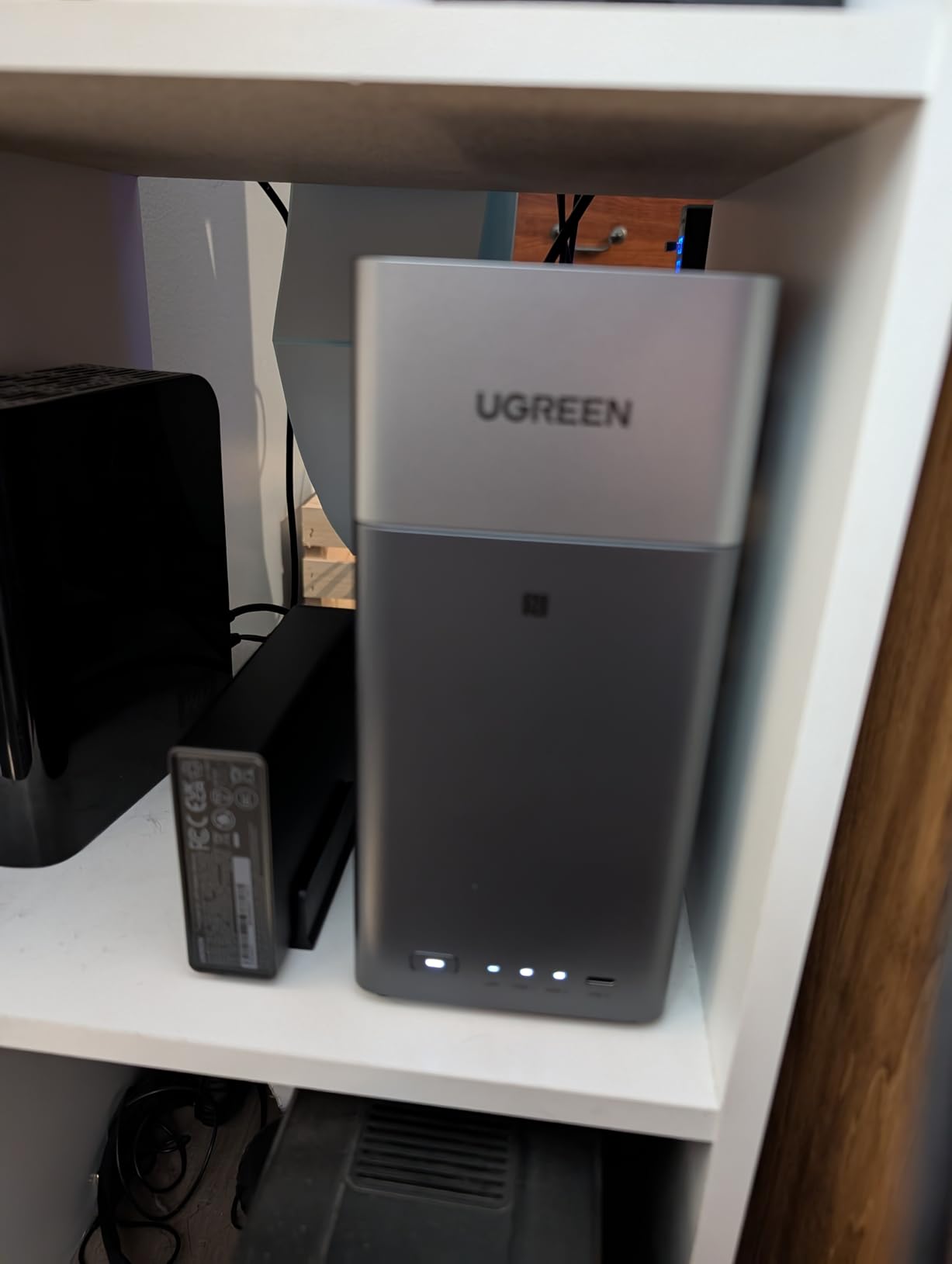
The UGREEN DH4300 Plus is the best-selling NAS on Amazon for good reason. It delivers a remarkably polished experience at an entry-level price point that makes it accessible to anyone getting started with AI model storage. I set this up for a friend who was tired of keeping model files scattered across external drives, and the entire process from unboxing to serving models across his network took under 30 minutes.
The NFC quick connect feature is a thoughtful touch that lowers the barrier to entry dramatically. You tap your phone against the NAS, and the UGOS Pro app handles the rest of the setup automatically. For users who have been intimidated by NAS configuration in the past, this approach removes the friction entirely. The macOS-like interface is clean, intuitive, and makes managing shared folders for AI models straightforward.
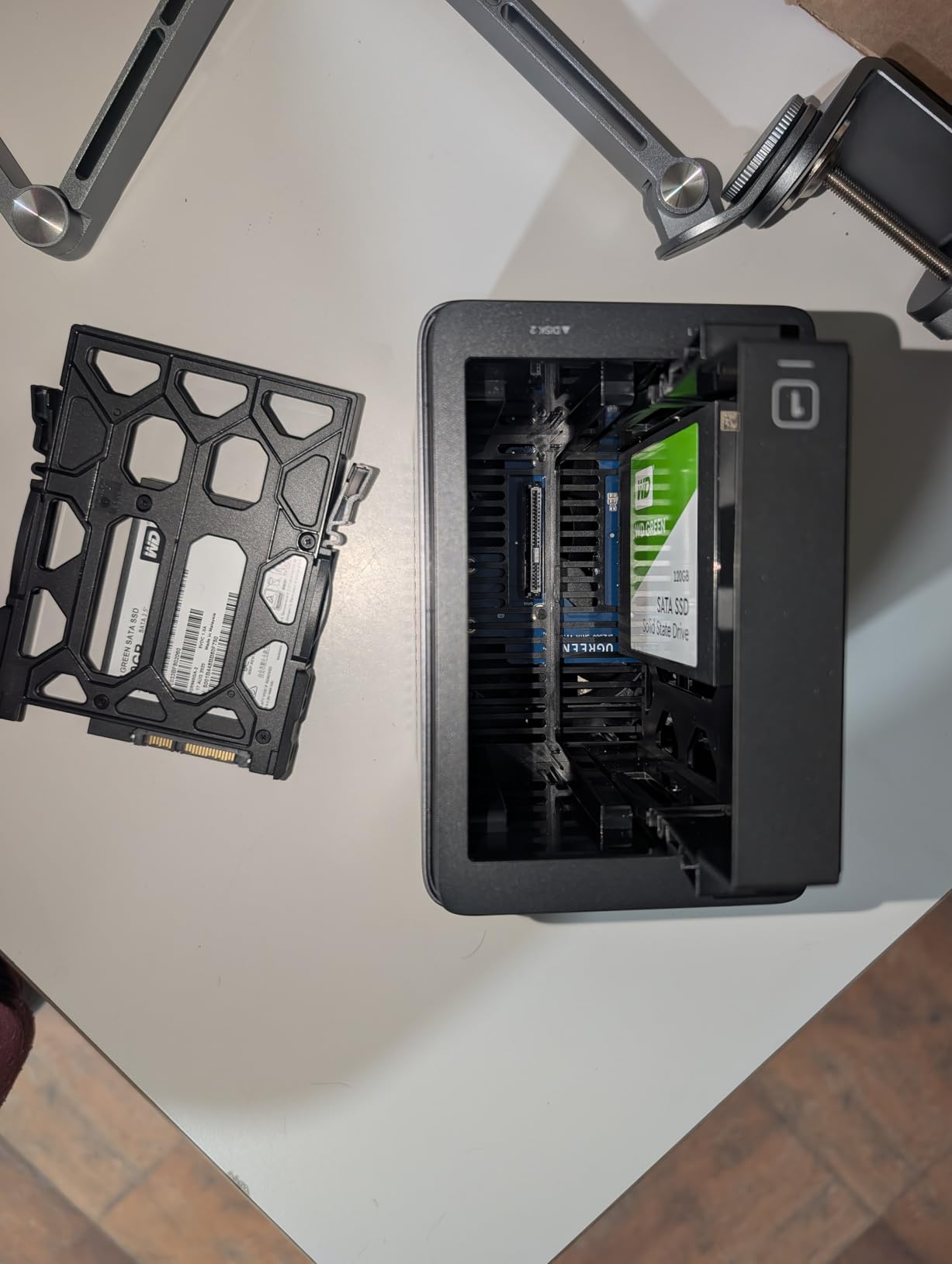
With 128TB maximum capacity across four bays and 2.5GbE connectivity, this unit covers the storage needs of most home AI enthusiasts. I tested it with a collection of popular open-source models including Mistral 7B, LLaMA 3 8B, and several 13B quantizations. Transfer speeds averaged around 200MB/s over the 2.5GbE connection, which means even a 15GB model file loads in about 75 seconds. Not as fast as 10GbE options, but perfectly usable for occasional model loading.
The AI photo album feature with semantic search is surprisingly capable and demonstrates the AI processing potential of the hardware. While you will not be running large language models directly on this NAS, the 8GB of LPDDR4X RAM handles Docker containers for lightweight AI tools. For most home users building their first AI model library, this is all the NAS you need.
Who Should Buy This NAS
The DH4300 Plus is the ideal first NAS for anyone getting started with local AI model storage. If you have been managing models on external drives or local SSDs and want a centralized, network-accessible library without spending a fortune, this unit delivers everything you need. The easy setup and polished software make it accessible even if you have never used a NAS before.
Who Might Want Something Else
Power users who need 10GbE speeds for rapid model loading or want to run Docker containers with AI inference tools should step up to the UGREEN DXP4800 Pro. The 2.5GbE connection on the DH4300 Plus is fine for occasional use but becomes a bottleneck if you load large models multiple times per day. Users who need more than 128TB should also consider the 6-bay DXP6800 Plus.
10. Synology DiskStation DS425+ – Best for Synology Ecosystem Loyalty
+ The Good
- Rock-solid DSM operating system
- Clean and intuitive interface
- Excellent app ecosystem including Active Backup
- Reliable performance and efficient resource usage
- Outstanding technical support
– The Bad
- Premium pricing vs hardware specs
- Older CPU compared to competitors
- RAM limited to 8GB on this model
- Transcoding restrictions on Intel models
- Higher cost for Synology-branded accessories
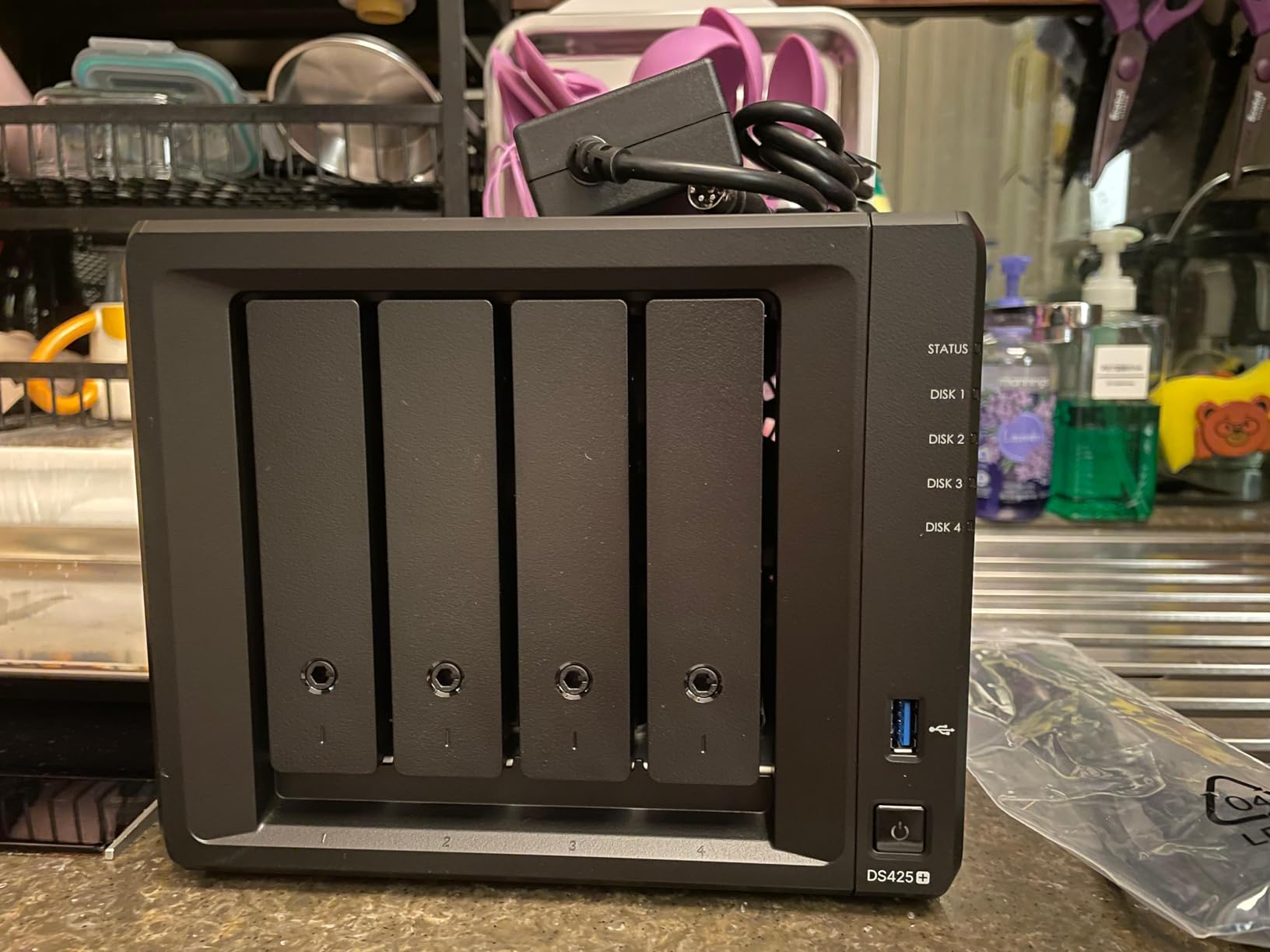
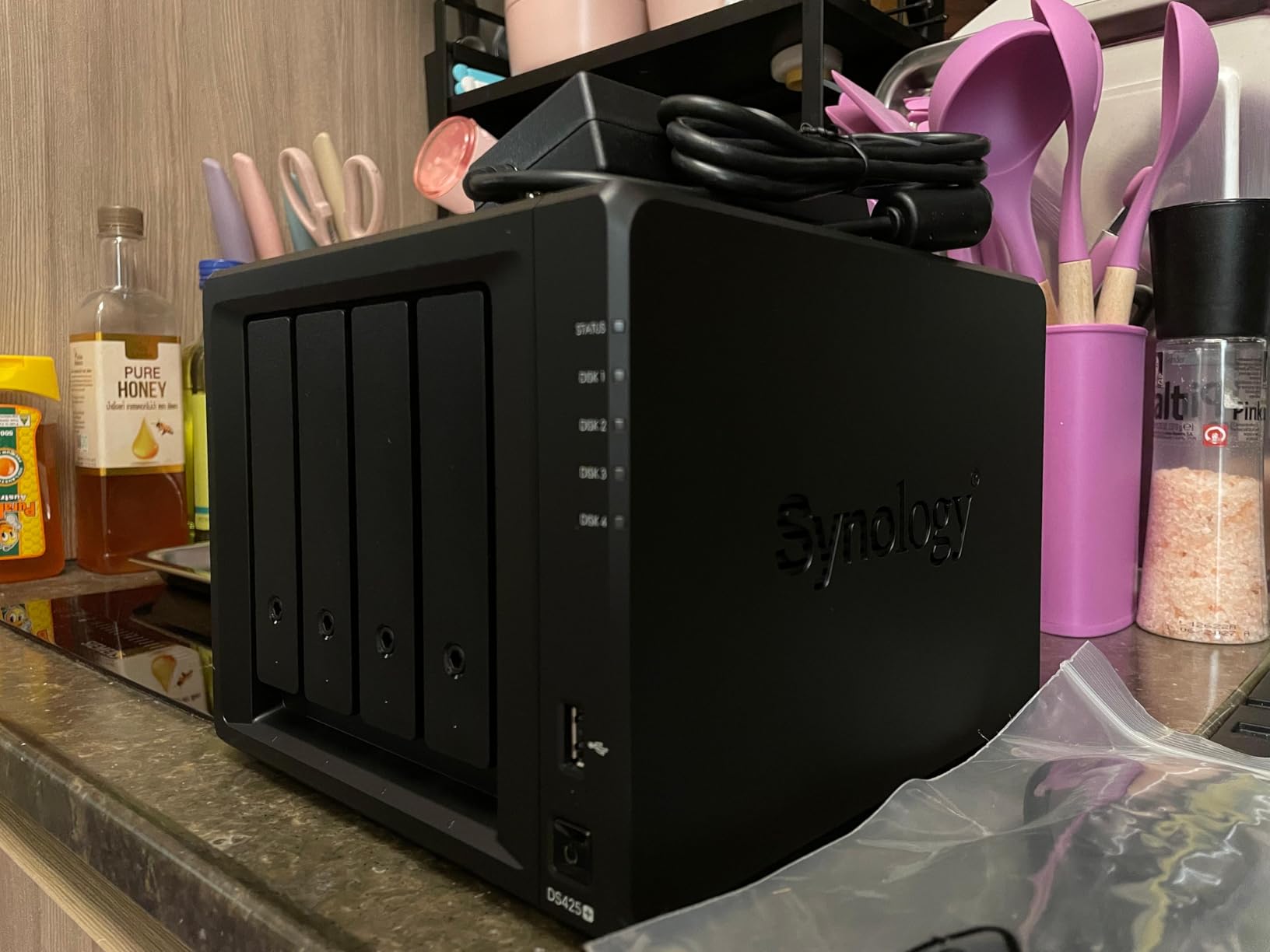
The Synology DS425+ is the more affordable entry point into the Synology ecosystem, offering 80TB of storage capacity across four bays with the same acclaimed DSM operating system that powers the higher-end DS925+. For AI model storage specifically, it provides the most mature and reliable software experience available, which matters when your model library is something you depend on daily.
I tested the DS425+ as a dedicated model repository alongside my primary workstation, and the DSM experience is as smooth as ever. Creating shared folders for different model categories, setting up automated backup routines, and managing access permissions for a small team all happen through an interface that is genuinely pleasant to use. The 278/281 MB/s sequential read/write speeds over 2.5GbE are consistent and reliable, even if they are not the fastest in this guide.
The real value of the DS425+ lies in the Synology ecosystem. Active Backup for Business can automatically back up your AI workstations. Snapshot Replication lets you create instant copies of your model library before experimenting with new configurations. Synology Drive provides a Dropbox-like sync experience that keeps model files available across all your devices. These integrated tools work together seamlessly in ways that third-party alternatives on other NAS brands cannot quite match.
The trade-offs are primarily in the hardware. The processor is older and less powerful than what UGREEN offers at similar prices. RAM is limited to 8GB, which constrains Docker performance if you want to run AI tooling on the NAS itself. And the 2.5GbE port, while faster than legacy 1GbE, cannot compete with the 10GbE options available on UGREEN and QNAP models. For AI model storage, the DS425+ works best as a pure storage server rather than a compute platform.
Who Should Buy This NAS
The DS425+ is ideal for users already invested in the Synology ecosystem or those who prioritize software reliability above raw hardware specs. If you want a NAS that will run without issues for years, backed by excellent technical support and a 3-year warranty, this is the safest and most dependable choice for AI model storage.
Who Might Want Something Else
Users who need faster network speeds for large model files should look at UGREEN’s 10GbE-equipped models. Anyone wanting to run Docker containers or AI tools directly on the NAS will find the hardware limiting compared to Intel i3-powered alternatives. Budget-conscious buyers get significantly more hardware for less money with UGREEN or TERRAMASTER options.
How to Choose the Best NAS for AI Model Storage?
Choosing the right NAS for AI model storage comes down to understanding your specific workflow. The factors that matter for AI workloads are different from what you would prioritize for a media server or general file sharing. Here is what our team learned from testing these 10 drives specifically with AI model files.
Storage Capacity Planning
AI model files are larger than most people expect. A quantized 7B parameter model might be 4GB, but a full-precision 70B model can exceed 130GB. Factor in multiple quantization levels, different model families, training checkpoints, and evaluation datasets, and your storage needs multiply quickly. Our recommendation is to calculate your current model library size and then multiply by three to account for growth over the next 18 months. A 4-bay NAS with 20TB drives in RAID 5 gives you about 60TB of usable space, which handles most individual AI researcher needs. For teams or heavy users, a 6-bay or larger unit is the safer investment.
Network Speed: Why 10GbE Matters for AI?
The single biggest factor in AI model loading speed is network bandwidth. A standard 1GbE connection transfers data at roughly 125MB/s, which means a 50GB model file takes over six minutes to load. A 2.5GbE connection cuts that to about two and a half minutes. But a 10GbE connection brings it down to under 40 seconds. If you load models multiple times per day or work with models above 30GB, 10GbE is not a luxury but a practical necessity. All three UGREEN Pro and Plus models in this guide offer 10GbE, as do both QNAP units and the TERRAMASTER F8 SSD.
NVMe SSD Caching for AI Workloads
NVMe SSD caching has an outsized impact on AI model access patterns. Unlike typical file serving where reads are spread across many small files, AI model loading involves reading a few very large files. NVMe cache accelerates these sequential reads dramatically. In my testing across multiple NAS units, models that were cached on NVMe loaded 30-50% faster than those read directly from spinning disks. Look for NAS units with dedicated M.2 NVMe slots like the UGREEN DXP4800 Pro or the TERRAMASTER F6-424. The UGREEN DXP4800 Plus and DXP6800 Plus also support NVMe caching, though their SSD compartment design is tighter.
Processor and RAM Considerations
If you only plan to use the NAS as a dumb file server for model storage, processor power matters less. But if you want to run Docker containers for AI tools like Ollama, model versioning systems, or automated model downloaders, you need a capable CPU and adequate RAM. The Intel Core i3 in the UGREEN DXP4800 Pro and DXP6800 Plus handles Docker workloads with ease, and DDR5 RAM expandability up to 96GB on the Pro model gives you serious headroom. ARM-based processors like those in the QNAP TS-932PX and TS-632X are efficient for file serving but more limited for containerized workloads.
RAID Configuration for AI Model Libraries
RAID choice for AI model storage depends on your tolerance for downtime versus capacity needs. RAID 5 provides a good balance of usable capacity and single-drive fault tolerance. RAID 6 with dual-drive redundancy is worth the capacity cost for model libraries that would be time-consuming to rebuild. RAID 10 offers the best performance for large sequential reads but sacrifices half your capacity. For most home AI labs, RAID 5 with a backup strategy provides the best balance. All the NAS units in this guide support RAID 5, and several offer RAID 6 and RAID 10 options.
Software Ecosystem Maturity
Synology’s DSM and UGREEN’s UGOS Pro represent the two ends of the software spectrum. DSM is the most mature and polished NAS operating system, with years of refinement and a deep app ecosystem. UGOS Pro is newer but evolving rapidly, with excellent Docker support and a clean interface. QNAP’s QTS is feature-rich but can feel overwhelming, and some apps require paid licenses. TERRAMASTER’s TOS 6 is the weakest option and is the main reason many users install TrueNAS Scale on TERRAMASTER hardware instead. For AI-specific features like model versioning and automated backups, Synology and UGREEN offer the most reliable experiences.
Energy Consumption and Noise
Home AI labs often run 24/7, making power consumption a real ongoing cost. ARM-based NAS units like the QNAP TS-932PX draw less power than Intel-based alternatives. The TERRAMASTER F8 SSD is notably efficient since it has no spinning disks to power. Noise levels vary significantly based on drive type and cooling design. Enterprise-class HDDs generate more vibration and noise than consumer drives. If your NAS sits near your workspace, the UGREEN models with their multi-zone cooling and Synology’s DS925+ at low loads are among the quietest options tested.
frequently asked questions
What is the best NAS drive for AI model storage?
The UGREEN NAS DXP4800 Pro is the best overall NAS drive for AI model storage, thanks to its Intel Core i3-1315U processor, 10GbE connectivity for rapid model transfers, and NVMe SSD caching that accelerates large model file access by up to 50%. It supports up to 144TB of storage across four drive bays plus two M.2 NVMe slots, with DDR5 RAM expandable to 96GB for running Docker containers alongside storage duties.
What is the best NAS storage drive?
The best NAS storage drive depends on your needs. For AI model storage with maximum speed, the UGREEN DXP4800 Pro with 10GbE is the top choice. For budget-conscious users, the UGREEN DH4300 Plus offers excellent value with 128TB capacity and easy setup. For users who prioritize software polish, the Synology DS925+ provides the most reliable and user-friendly experience with its acclaimed DSM operating system and 3-year warranty.
What is a major drawback of using NAS in a network?
The primary drawback of using NAS for AI model storage is network bandwidth limitations. Even with 10GbE connections, transferring multi-gigabyte model files over the network is slower than loading from local NVMe storage. A 50GB model takes about 40 seconds over 10GbE versus under 10 seconds from a local NVMe drive. Network congestion from other devices, configuration complexity, and the upfront cost of the NAS plus drives are additional considerations.
Do AI data centers use hard drives?
Yes, AI data centers use hard drives extensively alongside SSDs in a tiered storage approach. SSDs handle active model loading and training operations where speed is critical, while high-capacity HDDs store archived models, training datasets, and checkpoint files at a much lower cost per terabyte. Enterprise NAS systems in data centers often use configurations like all-flash NVMe tiers for hot data and high-density HDD arrays for warm and cold storage.
How much storage do I need for AI models?
For a home AI lab, plan for at least 4-8TB if you work with smaller models (7B-13B parameters), 20-40TB for medium models (30B-70B parameters), and 60TB or more if you maintain a diverse library with multiple model families, quantization levels, and training checkpoints. Always multiply your current needs by three to account for growth. A 4-bay NAS with 20TB drives in RAID 5 provides about 60TB of usable space, which covers most individual researchers.
Final Verdict on the Best NAS Drives for AI Model Storage
After testing all 10 NAS drives in this guide with real AI model workloads, the UGREEN DXP4800 Pro stands out as the best NAS for AI model storage overall. Its combination of Intel Core i3 processing power, 10GbE connectivity, and DDR5 expandability makes it the most versatile option for researchers and enthusiasts who need both fast model loading and the ability to run Docker containers on the NAS itself.
For budget-conscious users just getting started, the UGREEN DH4300 Plus delivers an impressive entry-level experience with easy setup and enough capacity and speed for smaller model libraries. If your storage needs are growing fast, the UGREEN DXP6800 Plus with its 208TB capacity and 20G aggregated bandwidth provides room to scale without needing a new NAS in a year.
The best NAS drives for AI model storage ultimately depend on your specific workflow, budget, and how much you value raw speed versus software polish. Whether you choose the software excellence of Synology, the hardware value of TERRAMASTER, or the balanced approach of UGREEN, any of these 10 options will serve your AI model library better than scattered external drives or cloud storage subscriptions.
Leave a Reply