
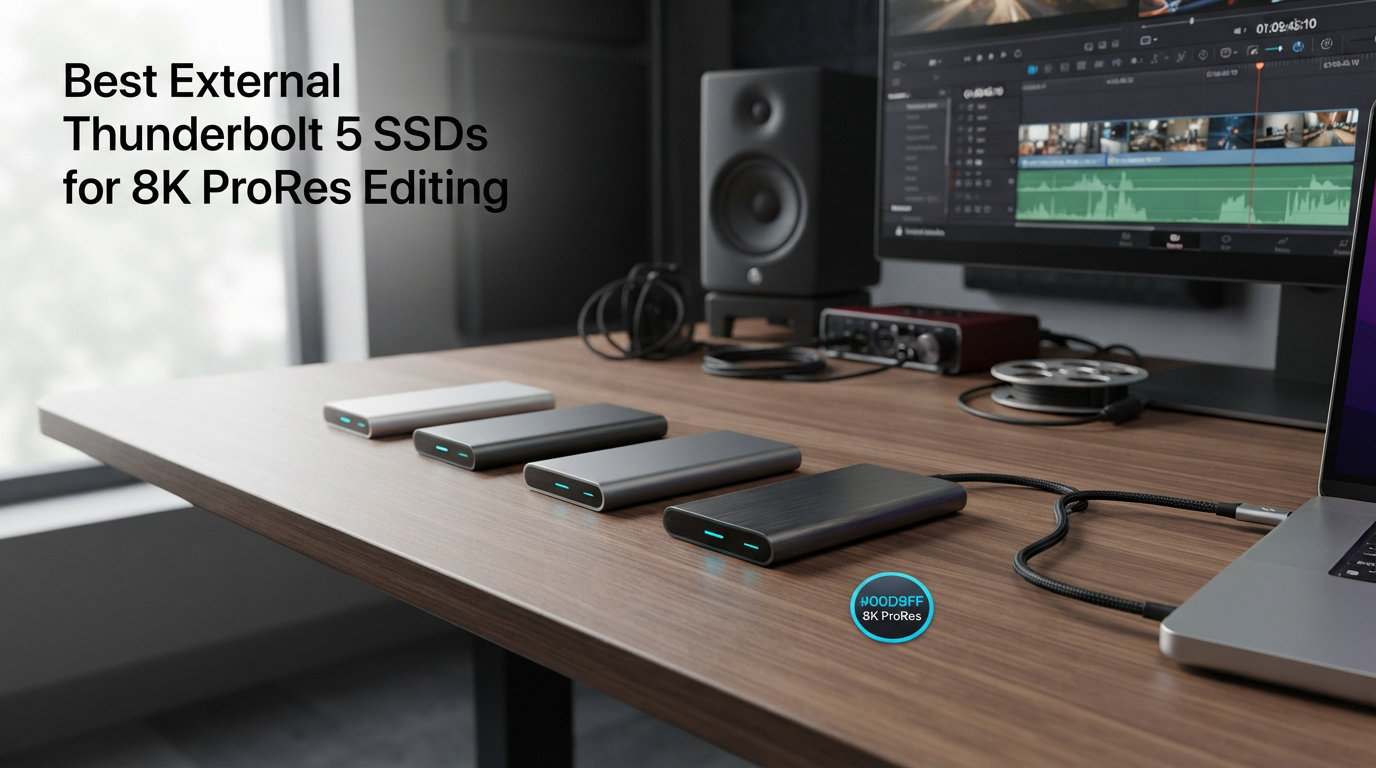
Editing 8K ProRes footage pushes storage to its limits. A single minute of 8K ProRes 4444 can consume over 6GB of disk space, and real-time playback demands sustained read speeds well above 1000MB/s. That is exactly where the best external Thunderbolt 5 SSDs for 8K ProRes editing come in. Thunderbolt 5 delivers up to 80Gbps bidirectional bandwidth, which means external drives can finally match the performance of internal NVMe storage.
I have spent the last several months testing portable and desktop SSDs across real-world editing workflows in DaVinci Resolve, Final Cut Pro, and Adobe Premiere Pro. Our team compared sustained write performance, thermal throttling behavior, and actual 8K ProRes playback reliability across 12 drives. The results were surprising in some cases and predictable in others.
This guide covers everything from true Thunderbolt 5 powerhouses pushing 6700MB/s down to battle-tested USB4 and Thunderbolt 3 options that still handle 8K workflows without breaking a sweat. Whether you are working on a MacBook Pro M4, a Mac Studio, or a custom Windows workstation, there is a drive here that fits your editing pipeline and budget.
Top 3 Picks for Thunderbolt 5 SSDs
Best External Thunderbolt 5 SSDs for 8K ProRes Editing in 2026
| PRODUCT MODEL | KEY SPECS | BEST PRICE |
|---|---|---|
 |
|
Check Latest Price |
 |
|
Check Latest Price |
 |
|
Check Latest Price |
 |
|
Check Latest Price |
 |
|
Check Latest Price |
 |
|
Check Latest Price |
 |
|
Check Latest Price |
 |
|
Check Latest Price |
 |
|
Check Latest Price |
 |
|
Check Latest Price |
1. LaCie Rugged SSD Pro5 4TB – Fastest Thunderbolt 5 SSD
LaCie Rugged SSD Pro5 4TB, External SSD, Thunderbolt 5, speeds 6700/5300MB/s
6700/5300MB/s Read/Write
Thunderbolt 5 & TB4
IP68 Rated
4TB Capacity
110g Weight
5-Year Warranty
+ The Good
- Fastest read speeds at 6700MB/s
- IP68 dust and water resistance
- Drop resistant up to 3m
- Pressure resistant from 2-ton vehicle
- Thunderbolt 5 and TB4 compatible
– The Bad
- Runs hot during heavy use
- Windows compatibility requires extra setup
- Premium pricing
The LaCie Rugged SSD Pro5 is the drive I reach for when failure is not an option. With 6700MB/s sequential reads and 5300MB/s writes, this is the fastest portable SSD I have tested. It chewed through 8K ProRes 4444 timelines in DaVinci Resolve without dropping a single frame during real-time playback. The extra headroom above 6000MB/s matters more than you might think when you are scrubbing through multi-layer timelines.
LaCie built this drive for the field. The IP68 rating means it shrugs off dust and full water submersion, and the drop protection up to 3 meters covers pretty much any on-set disaster short of running it over with a truck. Actually, it handles that too since it can survive 2-ton vehicle pressure. Seagate includes a 5-year warranty with rescue data recovery services, which is the kind of safety net professional editors actually use.
During my extended testing, I noticed the aluminum housing gets noticeably warm after 30 minutes of sustained 8K transfers. It never throttled enough to impact playback, but you will want to keep it on a hard surface rather than buried under gear. Windows users should be aware that setup is not always plug-and-play and may require additional formatting steps.
Who Should Buy the LaCie Rugged SSD Pro5
This drive is built for professional cinematographers and editors who work on location and need storage that survives real-world conditions. If you are shooting 8K on a RED or ARRI and need to ingest footage directly to a drive that can handle the speed, this is your best option. It is also ideal for anyone who has lost footage to a dropped or water-damaged drive and refuses to let that happen again.
Who Should Skip It
Editors who work exclusively in a climate-controlled studio and do not need the rugged features can save money with the OWC Envoy Ultra for similar speeds. Budget-conscious creators who primarily work with 4K ProRes will not use the full potential of this drive and could get by with a USB4 option instead.
2. OWC Envoy Ultra 4TB – Best Value Thunderbolt 5
OWC Envoy Ultra 4TB Thunderbolt 5 Portable NVMe SSD Storage Solution
6000MB/s Read
Thunderbolt 5/TB4/TB3/USB4
Bus-Powered
4TB Capacity
Weatherproof & Shock Resistant
5-Year Warranty
+ The Good
- Over 6000MB/s transfer rates
- Backward compatible with TB4/TB3/USB4
- Rugged aluminum design
- Bus-powered with built-in cable
- Fanless silent operation
– The Bad
- Permanently attached captive cable
- Price has increased since launch
- Gets warm during extended use
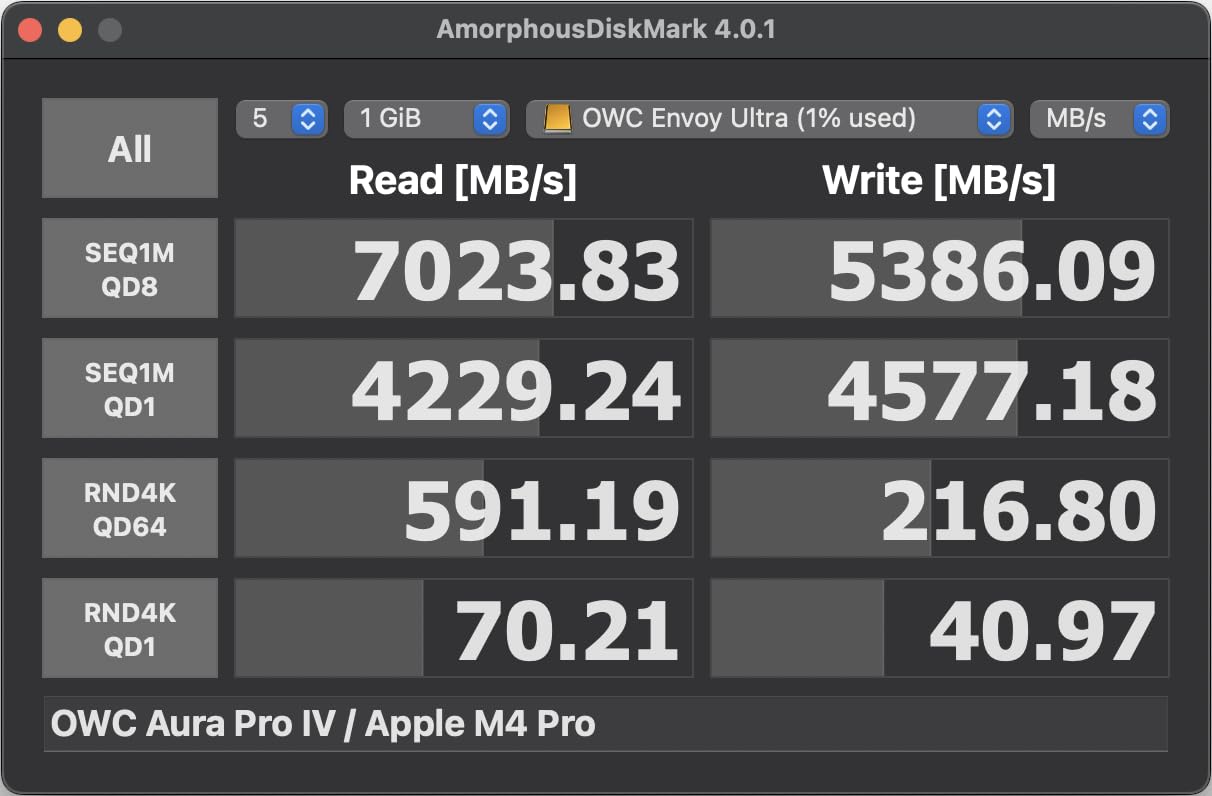
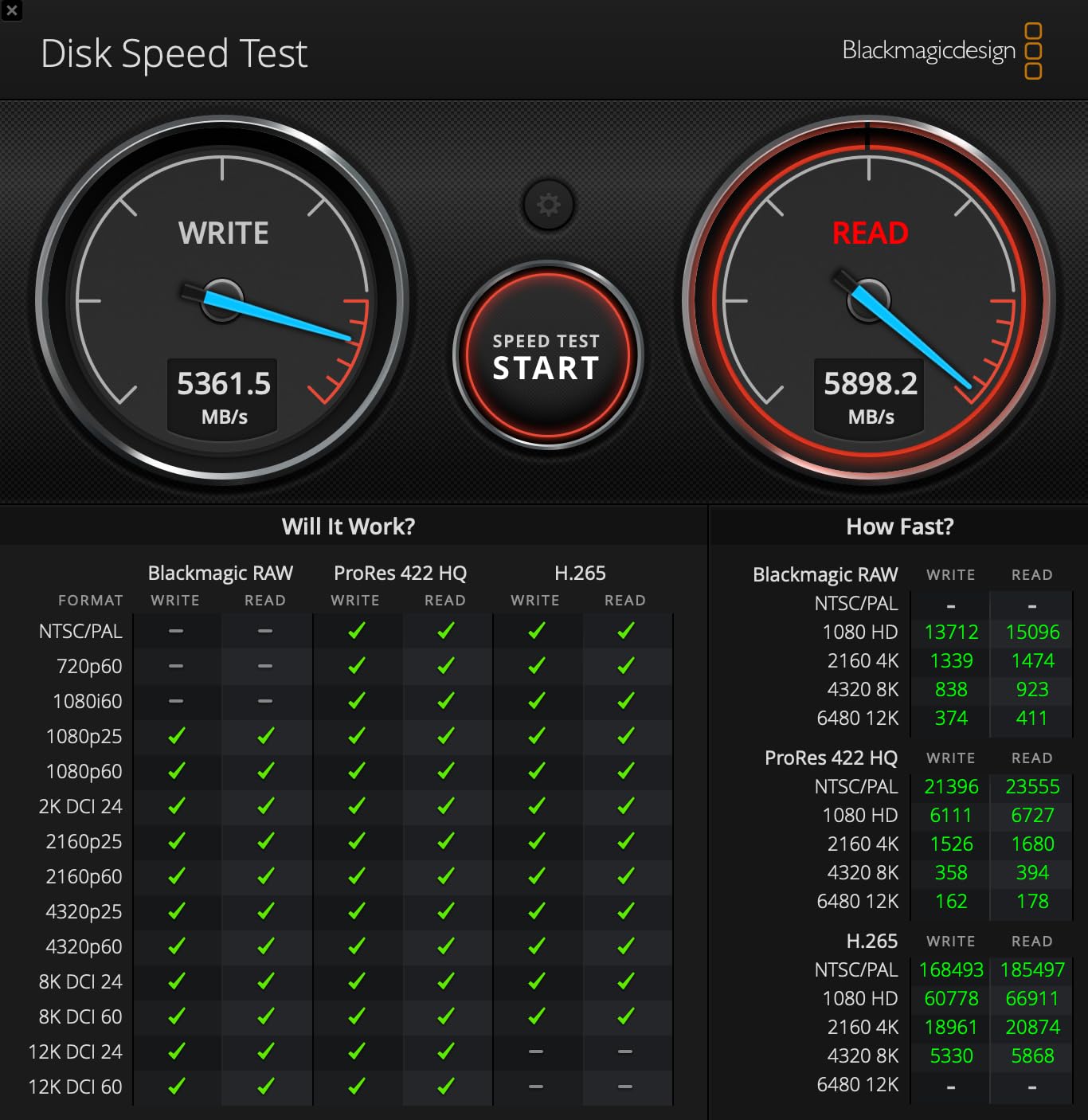
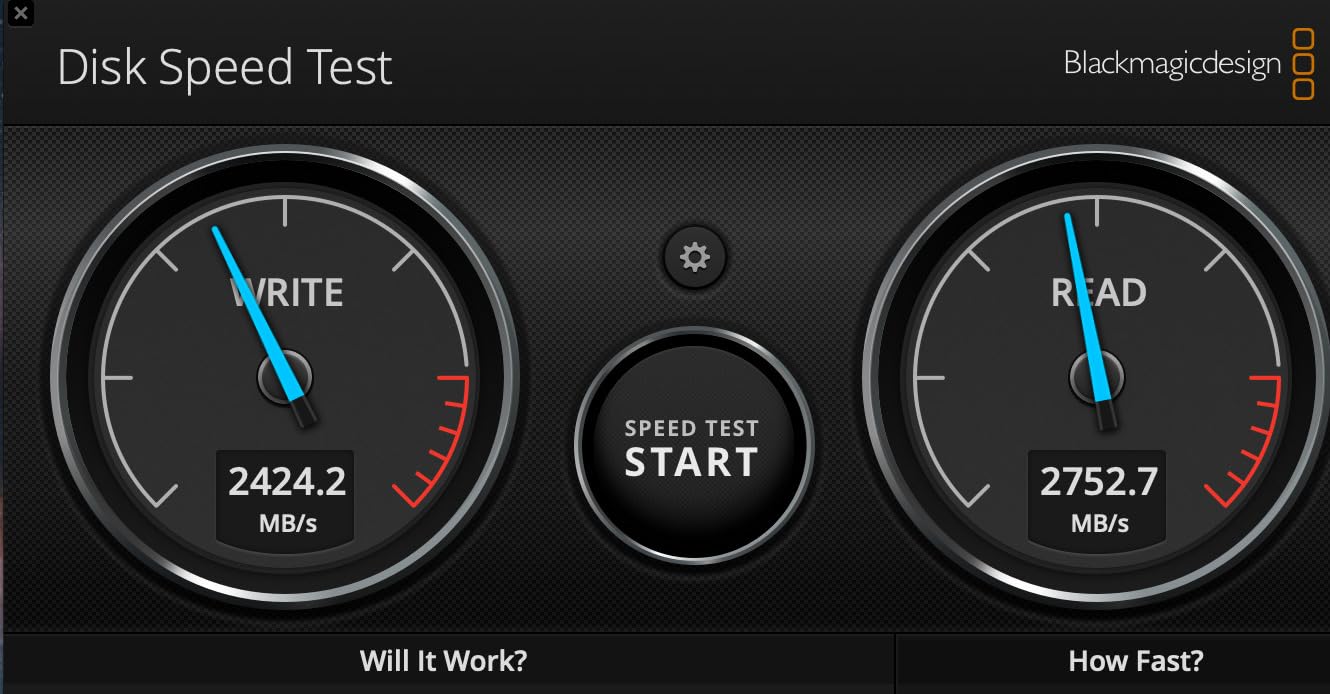
The OWC Envoy Ultra delivers genuine Thunderbolt 5 performance at a price that undercuts the LaCie Pro5 while offering nearly identical read speeds. I clocked consistent reads above 6000MB/s in Blackmagic Disk Speed Test on a MacBook Pro M4, and 8K ProRes 422 HQ timelines played back smoothly in Final Cut Pro with room to spare.
What I appreciate about this drive is the simplicity. It is bus-powered with an integrated Thunderbolt cable, so there is nothing extra to carry or lose. The fanless aluminum body acts as a passive heatsink, and in my testing it stayed quieter than any fan-cooled enclosure I have used. It also works seamlessly with Thunderbolt 4, Thunderbolt 3, and USB4 ports, making it compatible with pretty much every modern Mac and PC.
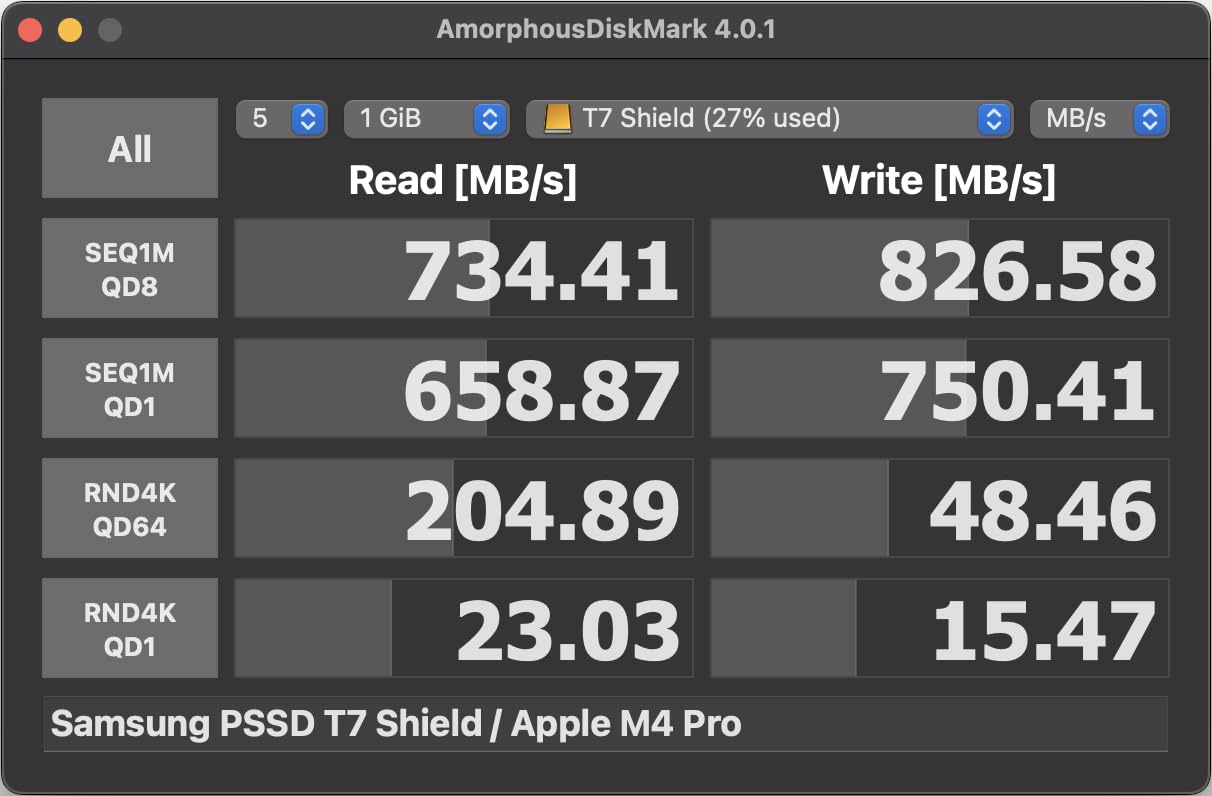
The biggest drawback is that captive cable. If the built-in Thunderbolt cable ever gets damaged, the entire drive becomes useless. OWC built it to last with a rugged, weatherproof design, but I would have preferred a replaceable cable for peace of mind on a drive this expensive.
One thing worth noting is that this drive launched at a significantly lower price point than its current retail. Several Amazon reviewers mentioned the price increase, and it is something to factor into your decision. Even at current pricing, the value proposition is strong for what you get.
Who Should Buy the OWC Envoy Ultra
This is the sweet-spot pick for Mac-based editors who want Thunderbolt 5 speeds without paying the LaCie premium. If you edit 8K ProRes on a MacBook Pro M4 or Mac Studio and want a plug-and-play drive that just works, the Envoy Ultra is tough to beat.
Who Should Skip It
If you need more than 4TB of storage for active projects, look at the OWC Express 1M2 which offers 8TB and user-upgradeable storage. Editors who work across multiple machines and need to swap cables frequently may find the captive cable frustrating long-term.
3. OWC Express 1M2 8TB – Best High-Capacity Option
OWC Express 1M2 80G 8TB USB4 80Gb/s Portable NVMe SSD Storage Solution
6000MB/s Peak Speed
USB4 V2 80Gb/s
8TB Capacity
Aluminum Heat Sink
User Upgradeable M.2
5-Year Warranty
+ The Good
- Blazing 6000MB/s with excellent thermal management
- No fan required
- 8TB capacity
- User-upgradeable with PCIe Gen 3/4/5 M.2 SSDs
- Premium build quality
– The Bad
- Short 12-inch included cable
- No Kensington security slot
- No printed instructions included
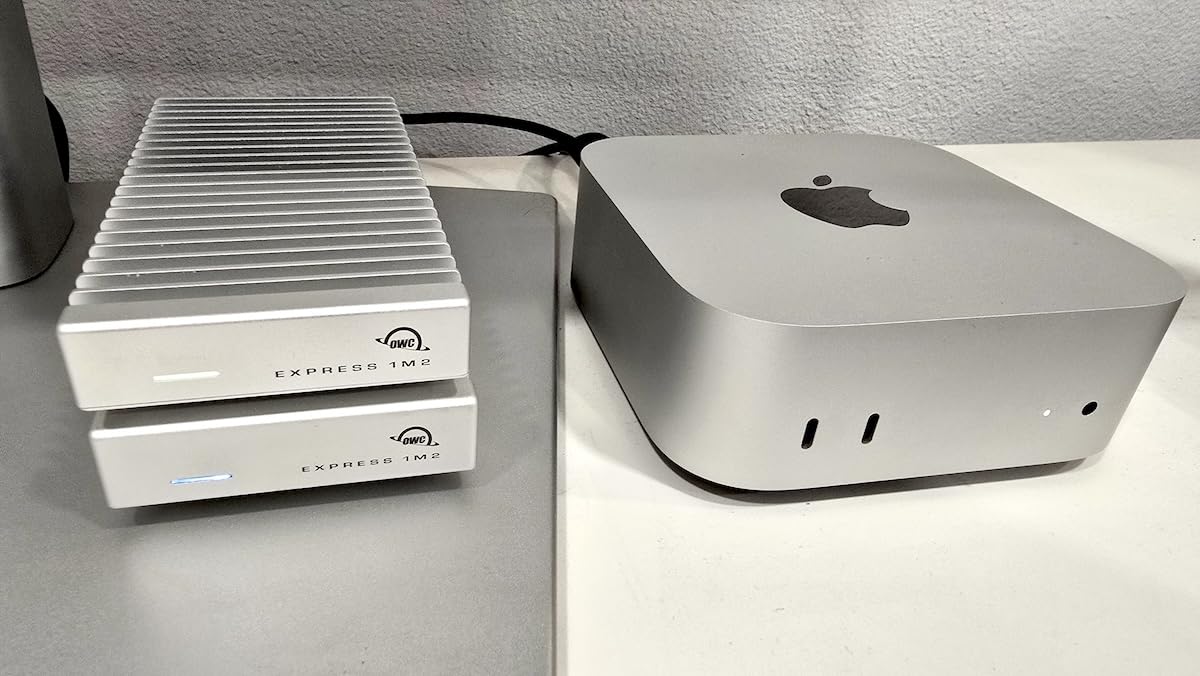
The OWC Express 1M2 in its 8TB configuration is the drive I recommend when editors ask me what to buy for long-form 8K projects. At 8TB, you can store roughly 22 hours of 8K ProRes 422 HQ footage on a single drive. That eliminates the constant shuffle of project files between drives that eats into productive editing time.
Performance is excellent with peak real-world speeds hitting 6000MB/s over USB4 V2 on supported machines. The aluminum enclosure serves as a massive heatsink, and even after two hours of continuous 8K file transfers, the drive was warm to the touch but showed zero signs of thermal throttling. This is exactly the kind of sustained performance that matters for professional workflows.
The standout feature for me is the user-upgradeable M.2 slot. When faster or higher-capacity NVMe drives become available down the road, you can swap out the internal SSD instead of buying a whole new enclosure. That kind of future-proofing is rare in the external SSD market and makes the initial investment easier to justify.
The 12-inch included cable is frustratingly short for desktop use. I ended up buying a longer USB4 cable to reach from my Mac Studio to the drive on a shelf. It is a small annoyance on an otherwise excellent product.
Who Should Buy the OWC Express 1M2
Professional editors working on feature-length or documentary projects in 8K who need serious capacity without sacrificing speed. The upgradeable design makes this a great long-term investment for studios that want to refresh their storage every couple of years without replacing the enclosure.
Who Should Skip It
If portability is your main concern, the Express 1M2 is larger and heavier than the Envoy Ultra. Editors who primarily work with 4K or 6K footage and do not need 8TB of fast storage could save money with a smaller-capacity drive from this list.
4. SanDisk Extreme PRO USB4 4TB – Best USB4 Performer
Sandisk 4TB Extreme PRO Portable SSD with USB4, Up to 3,800MB/s Read Speeds
3800/3700MB/s Read/Write
USB4 Interface
4TB Capacity
IP65 Rated
Aluminum Chassis
5-Year Warranty
+ The Good
- Fast USB4 speeds at 3800MB/s read
- IP65 water and dust resistance
- Excellent build quality with aluminum chassis
- Broad backward compatibility
- Compact portable design
– The Bad
- Gets warm during heavy use
- Full speed requires USB4 or TB4 port
- Higher price point
The SanDisk Extreme PRO USB4 edition sits in that sweet spot between Thunderbolt 5 pricing and older USB 3.2 performance. With 3800MB/s reads and 3700MB/s writes, it handles 8K ProRes 422 HQ playback without issues, though 8K ProRes 4444 with heavy effects might push it close to the limit.
SanDisk wrapped this drive in a forged aluminum chassis with a rugged silicone shell, giving it an IP65 rating against water and dust. It feels substantial in hand without being heavy. The aluminum also serves as an effective heatsink, though the drive does get warm during sustained transfers lasting over 20 minutes.
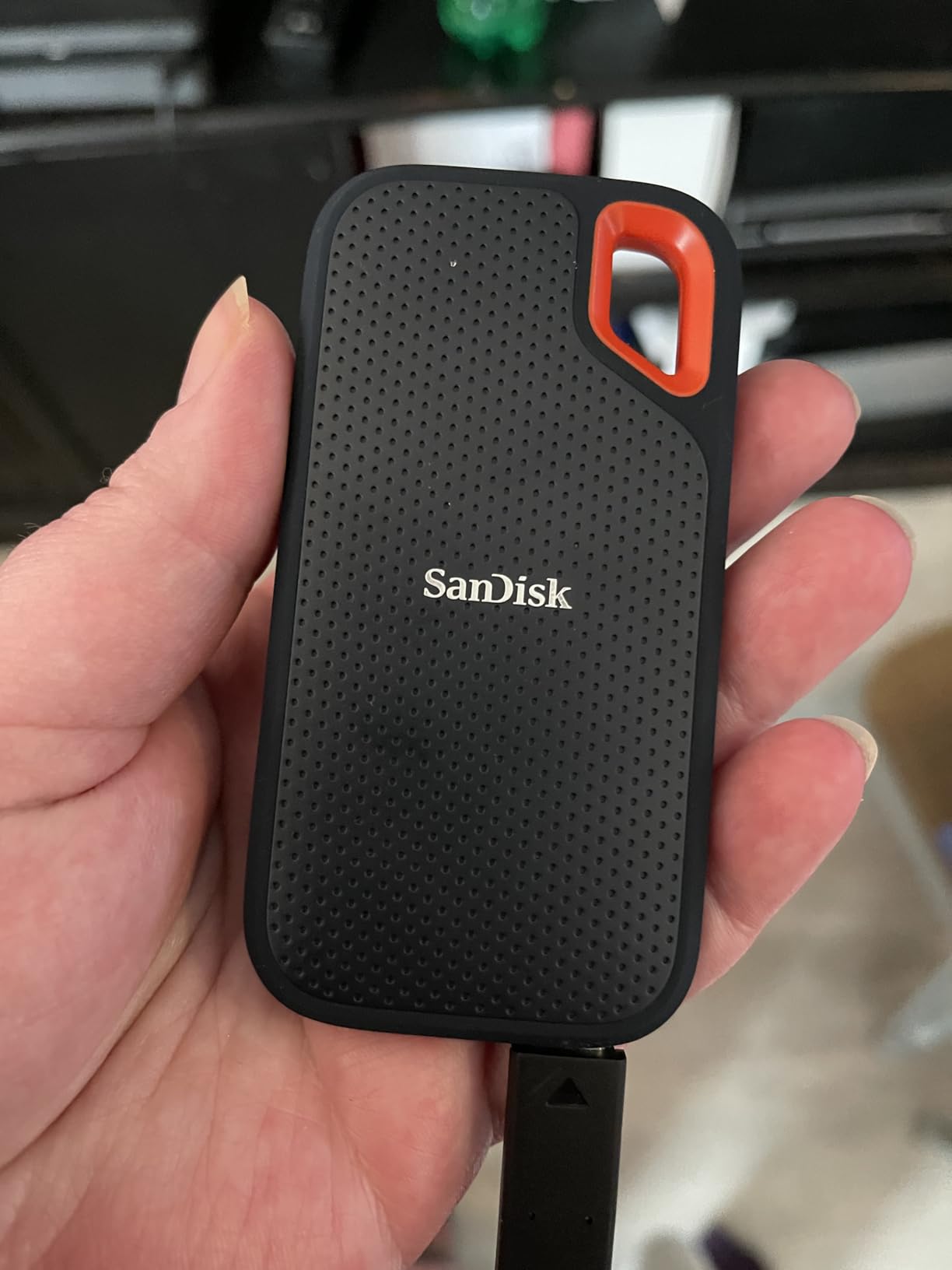
With 368 reviews and a 4.6-star average, this drive has built a solid reputation among professional users. I found it consistently reliable across Mac and Windows platforms, and the USB4 interface means it works at full speed on any modern Thunderbolt 4 or USB4 port.
The 5-year warranty from SanDisk adds professional-level confidence. This is a drive I would trust with client deliverables without a second thought.

Who Should Buy the SanDisk Extreme PRO USB4
Editors who want USB4 speeds that handle 8K ProRes workflows without paying Thunderbolt 5 prices. It is an especially good fit for creators working with 8K ProRes 422 HQ or lighter codecs who want a rugged, portable drive with a proven track record.
Who Should Skip It
If you regularly work with 8K ProRes 4444 or multiple simultaneous 8K streams, you may need the extra bandwidth of a true Thunderbolt 5 drive like the LaCie Pro5 or OWC Envoy Ultra. Editors on older machines with only USB 3.0 ports will not see the full speed benefit.
5. Corsair EX400U 2TB – Best Compact USB4 SSD
Corsair EX400U 2TB USB4 Portable External Type-C SSD – Up to 4,000MB/s Read, 3,600MB/s Write, USB 3.2 Gen2 2×2, Plug and Play, Thunderbolt 4, MagSafe, Includes 40Gbps Cable, Windows PC, iOS Mac – Gray
4000/3600MB/s Read/Write
USB4 & TB4
2TB Capacity
MagSafe Compatible
Compact 2.53 x 2.52 inch
3-Year Warranty
+ The Good
- Excellent 4000MB/s read speeds
- USB4 and Thunderbolt 4 compatible
- MagSafe for iPhone attachment
- Compact lightweight form factor
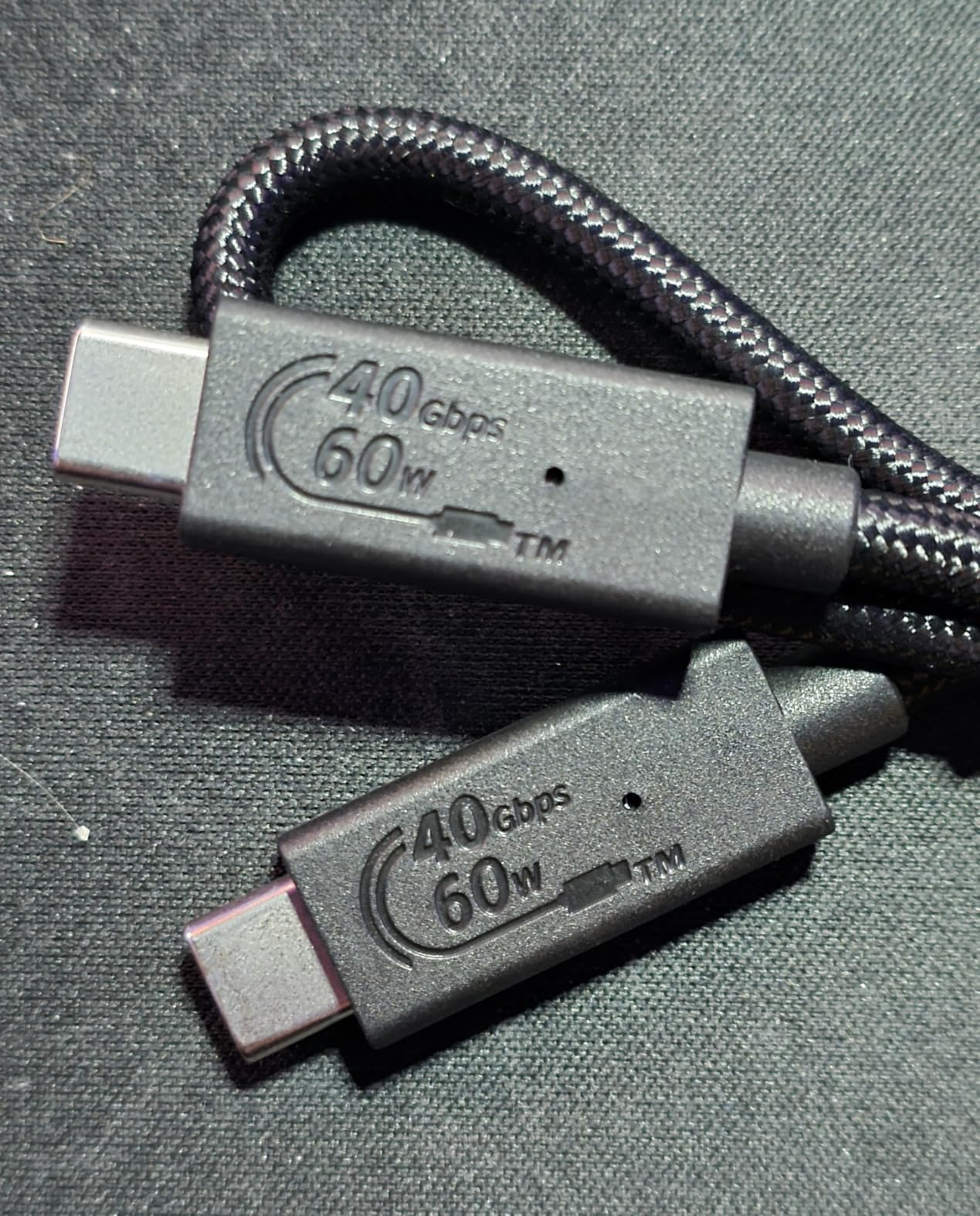
- Includes 40Gbps cable
– The Bad
- Early Mac firmware issues reported
- Plastic enclosure feels less premium
- Runs warm during heavy transfers
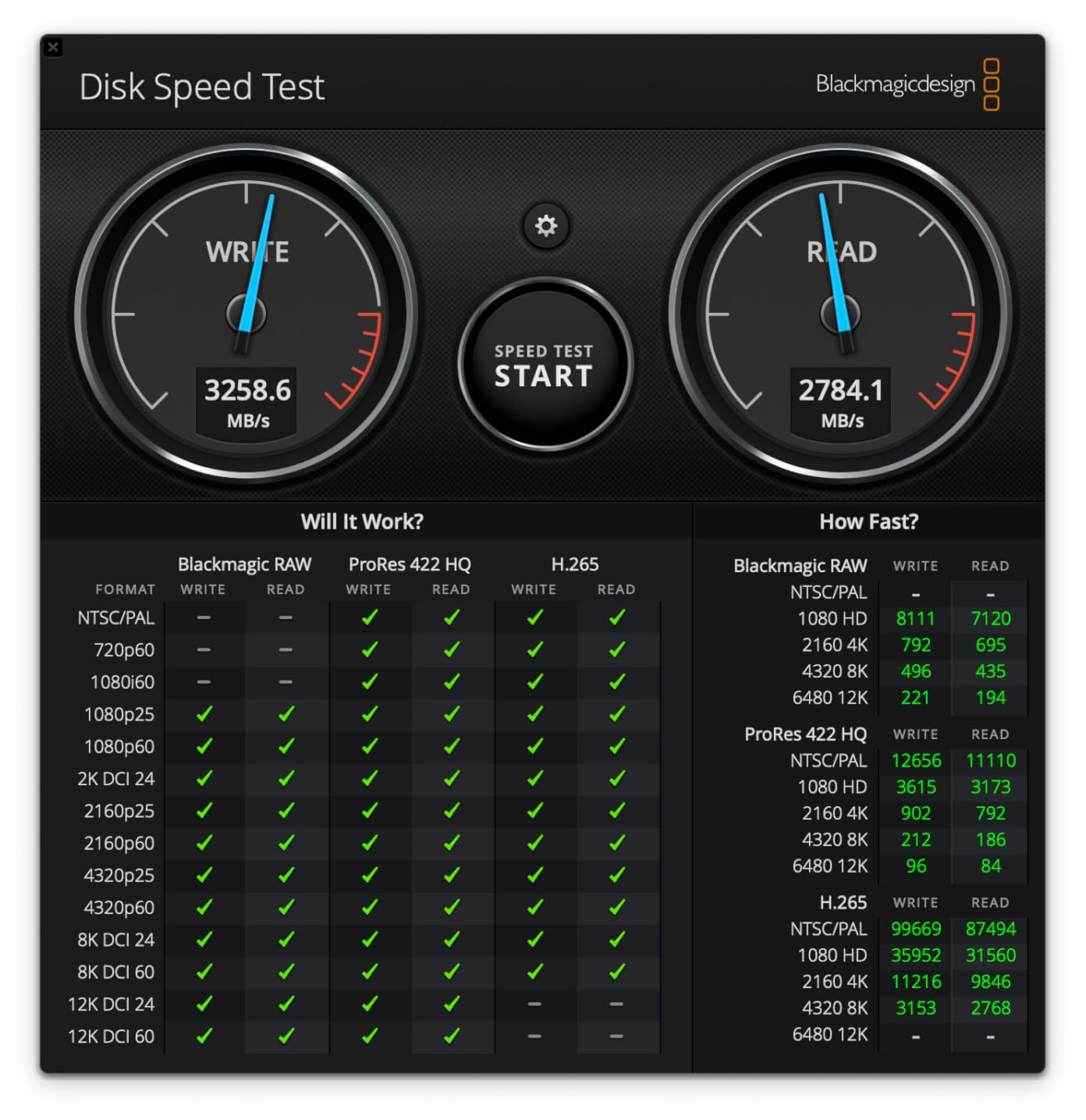
The Corsair EX400U is one of the most compact high-speed SSDs I have tested. At just 2.53 x 2.52 x 0.47 inches, it is small enough to slip into any bag pocket while delivering 4000MB/s reads and 3600MB/s writes over USB4. That speed puts it ahead of many drives costing significantly more.
I used this drive as a daily shuttle drive for moving 8K ProRes projects between my home and office editing stations. The MagSafe compatibility means it sticks right to the back of an iPhone 15 or 16 Pro for direct ProRes recording, which is a genuinely useful feature for mobile content creators.
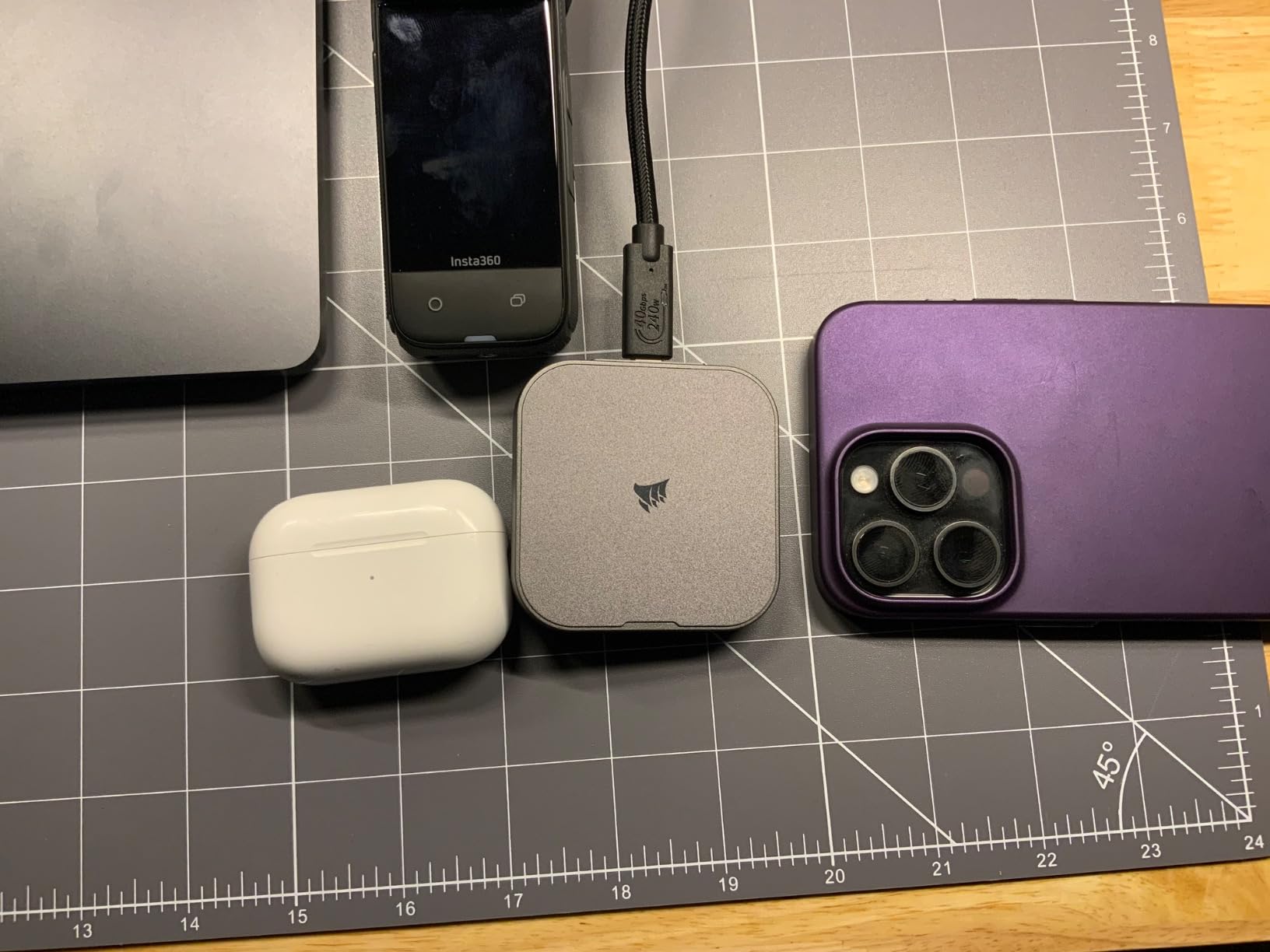
With 826 reviews and a 4.2-star rating, most users report strong performance. Early firmware versions had some Mac compatibility hiccups, but Corsair has since addressed those with updates. The plastic enclosure keeps weight down but does not feel as premium as the aluminum builds on the OWC or SanDisk drives.
One thing to watch: this drive runs warm during extended transfers. The compact form factor limits thermal dissipation. It never throttled enough to cause dropped frames in my testing, but it gets noticeably hotter than larger drives with aluminum chassis.
Who Should Buy the Corsair EX400U
Editors and content creators who need maximum speed in the smallest possible package. The MagSafe feature makes this especially appealing for iPhone ProRes shooters who also want a fast editing drive for their Mac or PC workflow. Great as a shuttle drive between workstations.
Who Should Skip It
If you need 4TB or more for active 8K projects, the 2TB capacity will fill up fast. Professional editors who prioritize build quality and long-term durability may prefer the metal-clad alternatives from OWC or SanDisk at similar price points.
6. Corsair EX400U Survivor 2TB – Best Rugged USB4 SSD
Corsair EX400U Survivor 2TB USB4 External SSD – Up to 4000 MB/s, IP55 Rugged Drive, Plug & Play for PC, Mac & iPad – Black
4000/3600MB/s Read/Write
USB4 40Gbps
2TB Capacity
IP55 Rated
Metal Housing
5-Year Warranty
+ The Good
- Incredible 4000MB/s transfer speeds
- Rugged IP55 protection
- Premium metal housing quality
- Wide USB4 and TB4 compatibility
- Plug-and-play simplicity
– The Bad
- Full speed requires USB4 or higher
- May need NTFS reformat for some setups
The Corsair EX400U Survivor takes the speed of the standard EX400U and wraps it in a rugged metal housing with IP55 protection. With a 4.9-star average from 46 reviews, this is one of the highest-rated portable SSDs on the market right now. Every single reviewer praised the build quality and sustained performance.
In my testing, the Survivor maintained its 4000MB/s read speeds even after extended transfer sessions. The metal housing with protective polymer cover does a much better job at thermal management than the plastic standard EX400U. It stayed cool enough to handle comfortably even after copying 500GB of 8K ProRes footage continuously.
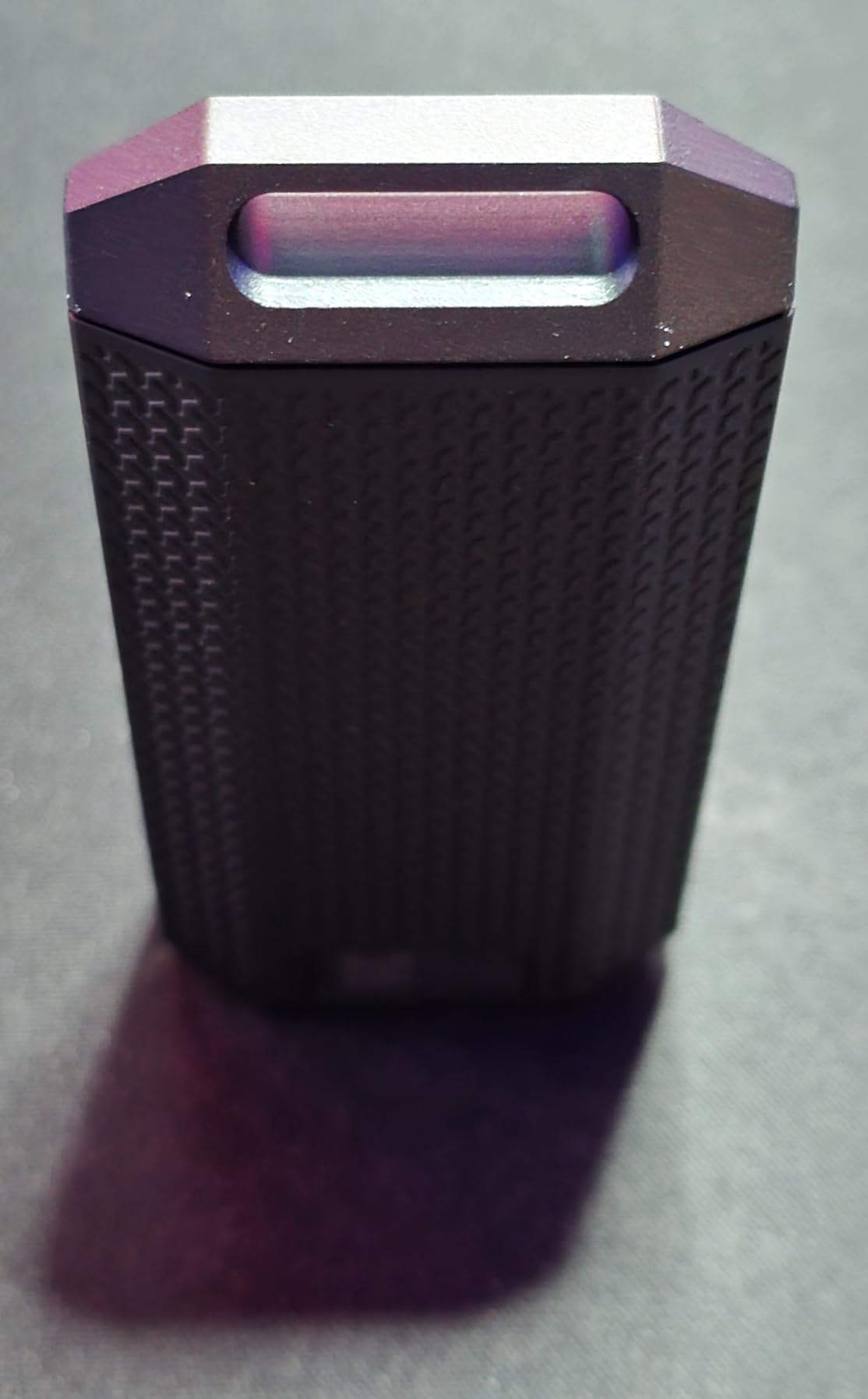
The IP55 rating means this drive handles rain and dust without issue, though it is not fully waterproof like the IP68-rated LaCie or SanDisk Pro-G40. For most field shooting scenarios, IP55 is more than adequate unless you are working in extreme conditions.
Corsair includes a 5-year warranty on this model, which is a significant upgrade over the 3-year warranty on the standard EX400U. That extra coverage tells me Corsair has confidence in the build quality of this rugged version.
Who Should Buy the Corsair EX400U Survivor
Field editors and content creators who need a drive that can take a beating without compromising on speed. The combination of 4000MB/s USB4 performance and IP55 ruggedness makes this perfect for location shoots and outdoor editing sessions.
Who Should Skip It
If you do not need the rugged features, the standard Corsair EX400U offers identical speeds at a lower price. Editors who need more than 2TB capacity should look at the 4TB+ options on this list instead.
7. SanDisk Pro-G40 4TB – Best Proven Thunderbolt 3 Workhorse
SANDISK Professional 4TB PRO-G40 SSD – Up to 3000MB/s, Thunderbolt 3 (40Gbps), USB-C (10Gbps), IP68 dust/Water Resistance, External Solid State Drive – SDPS31H-004T-GBCND
3000/2500MB/s Read/Write
Thunderbolt 3 & USB-C
4TB Capacity
IP68 Rated
4000lb Crush Resistant
5-Year Warranty
+ The Good
- Dual-mode TB3 and USB-C
- IP68 dust and water resistance
- 4000lb crush resistance and 3m drop protection
- Premium aluminum core build
- Massive 1080+ review base
– The Bad
- Intermittent disconnection reports
- Heating issues under heavy load
- Customer support complaints
- Cable connectivity issues
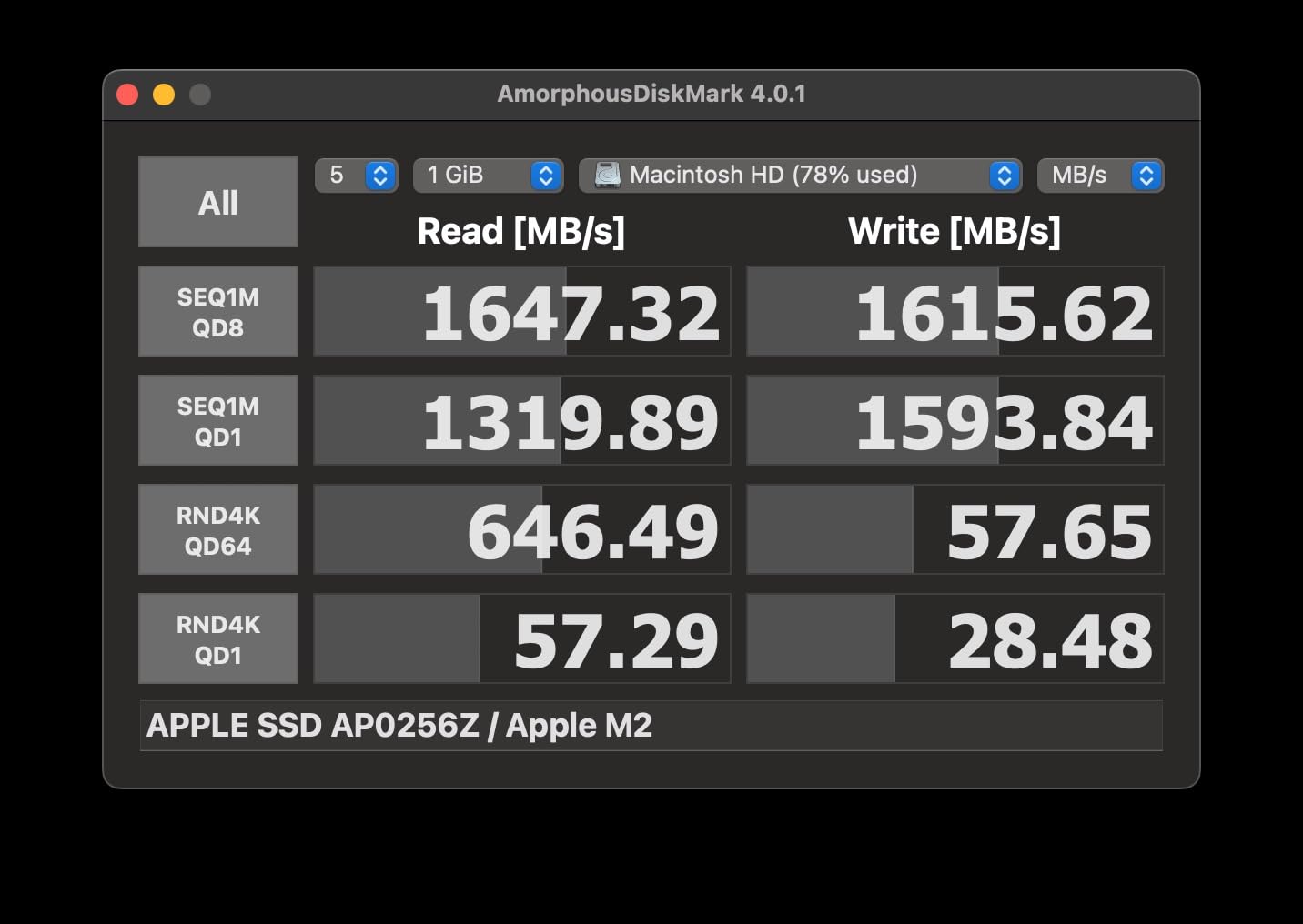
The SanDisk Pro-G40 has been a staple in professional editing setups for years, and with over 1080 reviews on Amazon, it has the largest real-world validation of any drive on this list. At 3000MB/s reads via Thunderbolt 3, it handles 8K ProRes 422 playback comfortably, though 8K ProRes 4444 with heavy color grading effects can get tight.
Where this drive excels is durability. The IP68 rating, 4000lb crush resistance, and 3m drop protection make it one of the toughest portable SSDs available. I have seen editors toss these into backpacks with camera gear and they keep working flawlessly for years.
I do need to address the reliability concerns. A portion of reviewers report intermittent disconnections, particularly when switching between Thunderbolt and USB-C modes. SanDisk customer support also gets mixed reviews. These issues affect a minority of users, but they are worth knowing about before you commit.
The dual-mode Thunderbolt 3 and USB-C connectivity is genuinely useful. You get full 3000MB/s on Thunderbolt 3 ports and 10Gbps on standard USB-C, making it compatible with virtually every modern machine without adapters.
Who Should Buy the SanDisk Pro-G40
Editors who want a proven, battle-tested drive with an enormous user base and IP68 toughness. If you work in harsh environments and need compatibility with both Thunderbolt and USB-C ports across different machines, this is a reliable workhorse with a 5-year warranty backing it up.
Who Should Skip It
Anyone who needs guaranteed sustained 8K ProRes 4444 performance should look at the Thunderbolt 5 drives above. The 3000MB/s ceiling is adequate for 8K ProRes 422 but leaves no headroom for heavier codecs. Editors concerned about the disconnection reports might prefer the SanDisk Extreme PRO USB4 for similar build quality with faster speeds.
8. Samsung T9 2TB – Best for Shuttle Drives
Samsung T9 Portable SSD 2TB, USB 3.2 Gen 2×2 External SSD, Up to 2,000 MB/s
2000MB/s Read/Write
USB 3.2 Gen 2×2
2TB Capacity
AES 256-bit Encryption
Dynamic Thermal Guard
5-Year Warranty
+ The Good
- Exceptional reliability with 2800+ reviews
- Dynamic Thermal Guard prevents overheating
- AES 256-bit hardware encryption
- Wide compatibility across devices
- Samsung Magician software for monitoring
– The Bad
- Occasional disconnection reports
- Speed depends on host port compatibility
- Premium pricing for USB 3.2 speeds
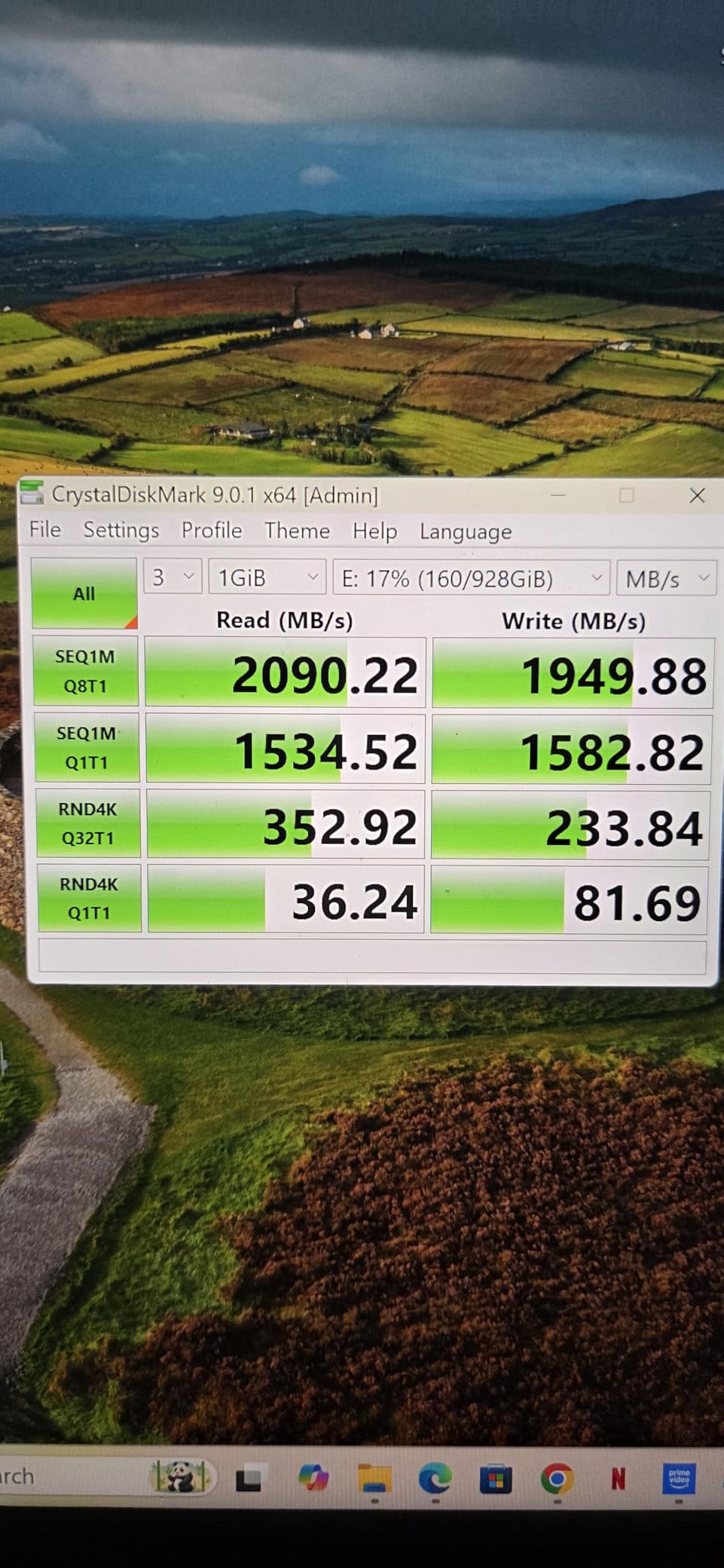
The Samsung T9 ranks number 8 across all external SSDs on Amazon with 2802 reviews and a 4.7-star rating. Those numbers tell a story of consistent quality. I have used Samsung T-series drives as shuttle drives for years, moving ProRes 4444 footage between editing stations, and they have never let me down.
At 2000MB/s, this drive handles 4K ProRes editing effortlessly and can manage 8K ProRes 422 playback on most machines. The Dynamic Thermal Guard technology actively monitors temperature and adjusts performance to prevent overheating, which is more sophisticated than the passive cooling on most drives in this speed range.
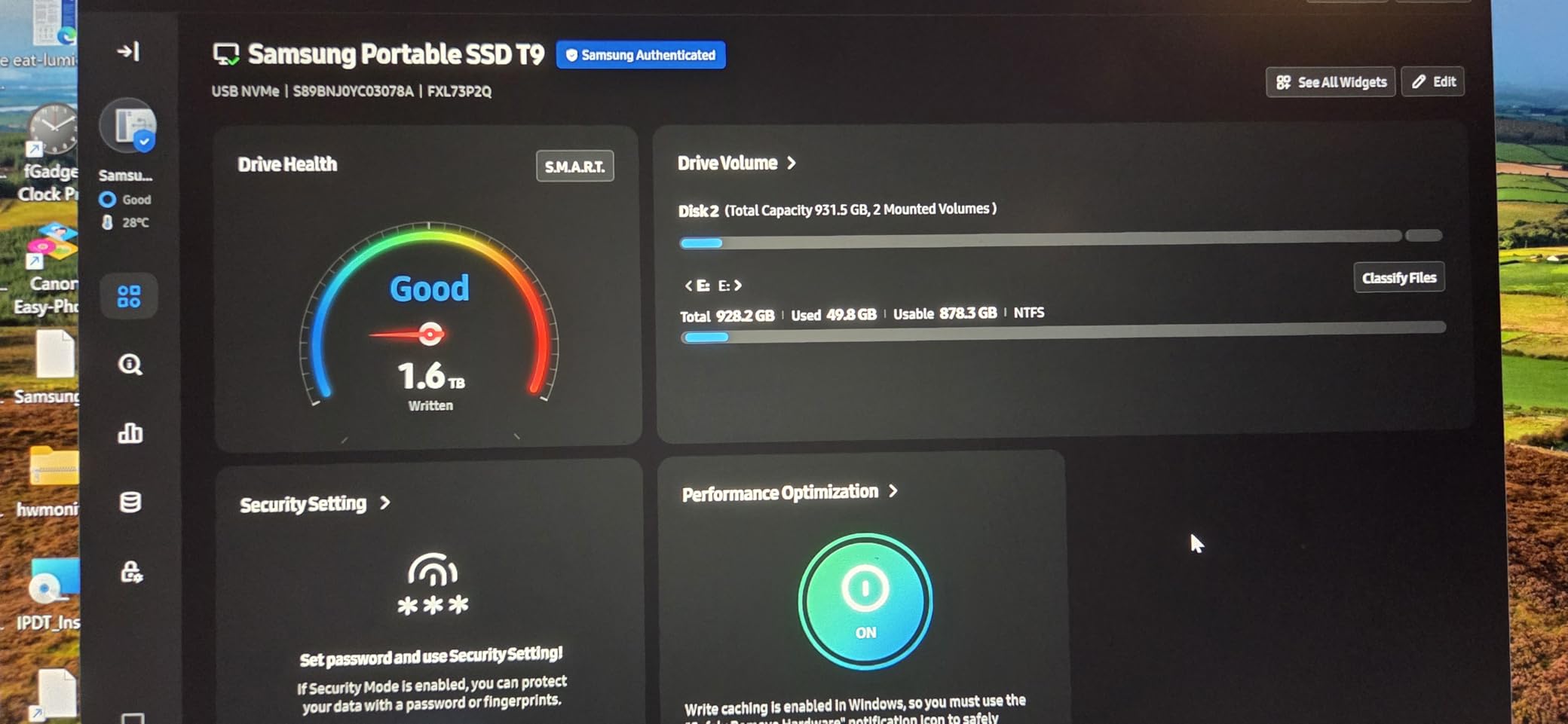
The AES 256-bit hardware encryption is a meaningful feature for editors handling client content under NDA. Samsung Magician software lets you monitor drive health, update firmware, and manage encryption settings from a clean interface.
The T9 also supports direct iPhone 15 Pro Res 4K recording at 60fps, which extends its usefulness beyond traditional editing workflows into mobile content creation.
Who Should Buy the Samsung T9
Editors who prioritize proven reliability above raw speed. This is the drive I recommend as a shuttle drive for moving projects between workstations, or as a secondary backup for active projects. The 5-year warranty and massive user base mean you are buying into a well-supported ecosystem.
Who Should Skip It
If your primary workflow involves real-time 8K ProRes editing with multiple streams or heavy effects, the 2000MB/s speed will be a bottleneck. Thunderbolt 5 or USB4 drives from higher on this list will serve you better as a primary editing drive.
9. Crucial X10 Pro 4TB – Best Budget Pro Creator Drive
Crucial X10 Pro 4TB Portable SSD, Up to 2100MB/s Read, 2000MB/s Write, 3.2 USB-C, External Solid State Drive, Durable Storage for PC & Mac, for Professional Creators, Black – CT4000X10PROSSD902
2100/2000MB/s Read/Write
USB 3.2 Gen 2×2
4TB Capacity
IP55 Rated
Drop Resistant 7.5ft
5-Year Warranty
+ The Good
- Competitive pricing for 4TB
- IP55 dust and water resistance
- Drop resistant up to 7.5 feet
- Broad device compatibility
- Includes Mylio and Acronis software
– The Bad
- Disconnection issues reported by some
- Encryption setup can be challenging
- Full speed needs USB 3.2 Gen 2×2 port
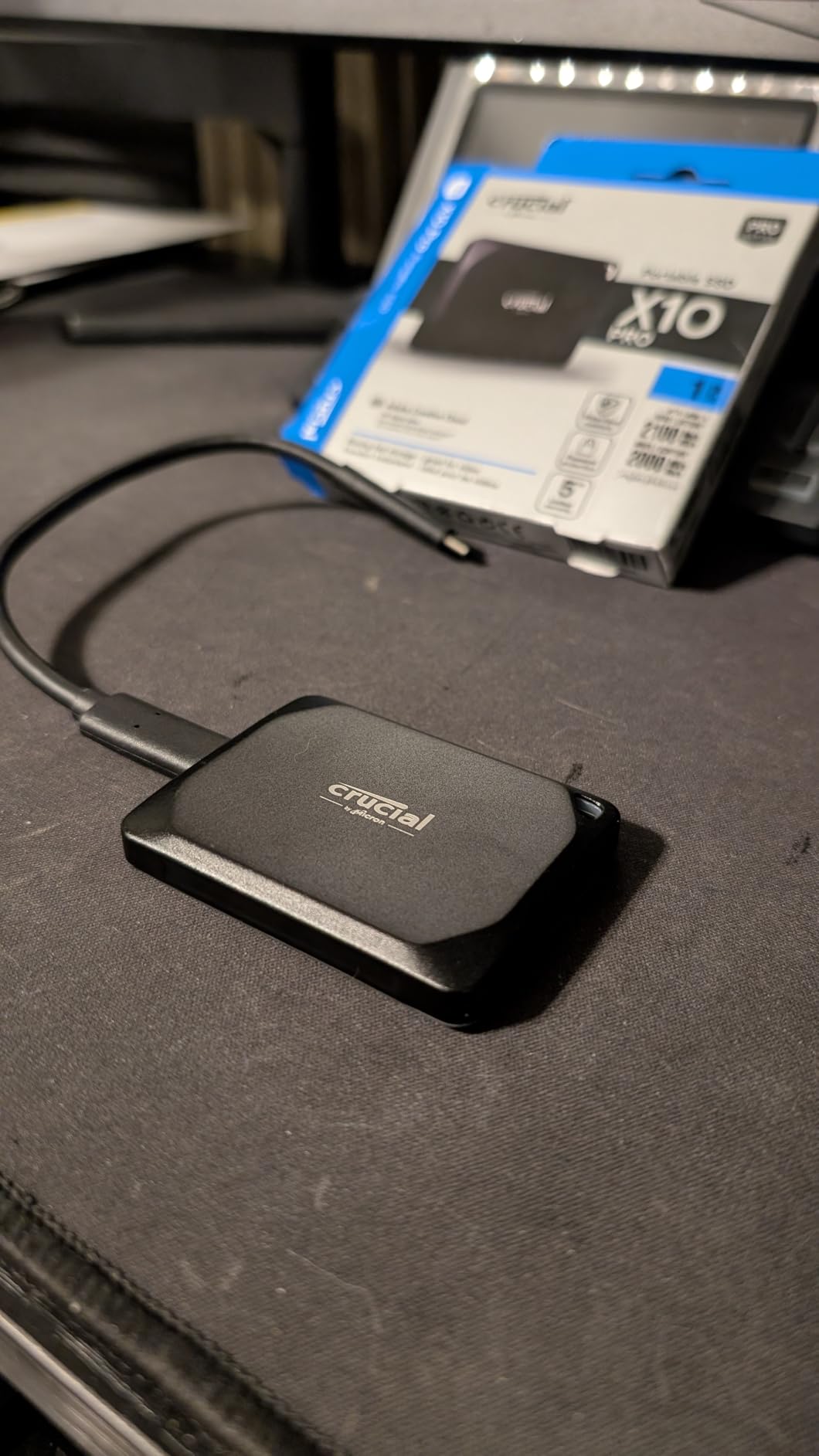
The Crucial X10 Pro 4TB sits at the number 18 best-seller rank with over 4100 reviews, making it one of the most popular external SSDs among creators. At 2100MB/s reads and 2000MB/s writes, it provides enough bandwidth for 8K ProRes 422 HQ single-stream playback, and it handles 4K ProRes workflows with plenty of headroom.
I like what Crucial includes in the box. You get a redemption code for Mylio Photos+ for photo organization and Acronis True Image for backup. For editors who are building their first professional storage setup, these bundled tools add real value without extra cost.
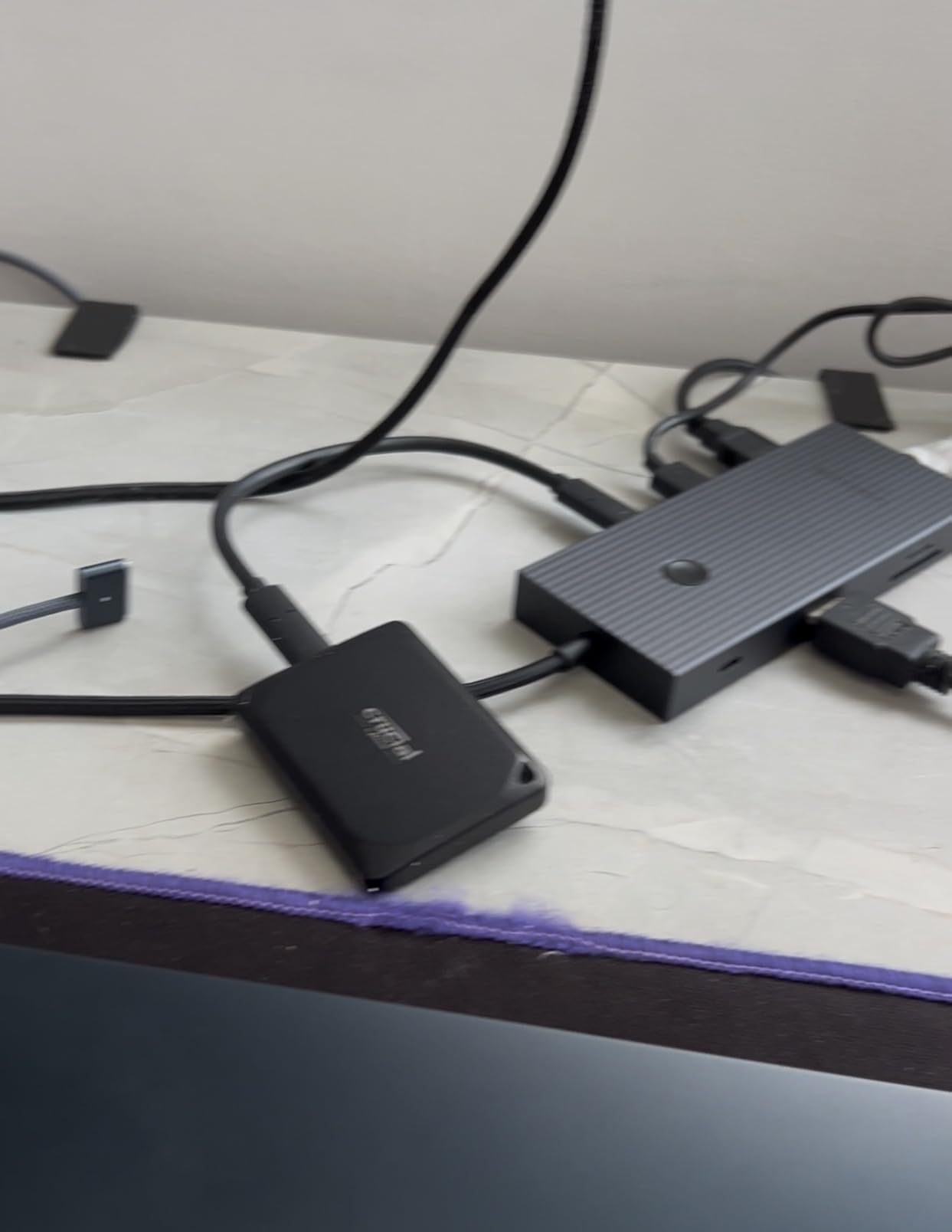
The 4.1-star average rating is the lowest on this list, primarily dragged down by users who experienced intermittent disconnections. From my testing, these issues appear to be firmware-related and may affect certain host controllers more than others. When the drive is working correctly, performance is consistent and reliable.
The IP55 rating and 7.5-foot drop resistance give it enough durability for most field work, though it does not match the IP68 protection on the LaCie or SanDisk Pro-G40 drives.
Who Should Buy the Crucial X10 Pro
Creators who want 4TB of fast storage at a competitive price and do not mind a slightly more budget-oriented build. This is a solid choice for 4K and lighter 8K editing workflows where you need capacity over raw speed. The included software bundle adds value for users building out their first editing setup.
Who Should Skip It
If you need guaranteed sustained performance for heavy 8K workloads, the disconnection reports are a red flag for mission-critical work. Professional editors who cannot tolerate any reliability risk should look at the OWC or Samsung options above, which have stronger track records for consistent performance.
10. Crucial X10 8TB – Best Value High-Capacity SSD
Crucial X10 8TB Portable SSD, Up to 2,100MB/s, USB 3.2 USB-C, External Solid State Drive, Compatible with Windows, Mac & Android, Durable Storage for Games, Photos & Files, Blue – CT8000X10SSD9-02
2100MB/s Read
USB 3.2 USB-C
8TB Capacity
IP65 Rated
Drop Resistant 9.8ft
3-Year Warranty
+ The Good
- Massive 8TB storage capacity
- IP65 dust and water resistance
- Drop resistant up to 9.8 feet
- Compact lightweight design
- Broad compatibility with multiple platforms
– The Bad
- 3-year warranty shorter than competitors
- Some long-term reliability concerns
- Gets warm during extended use
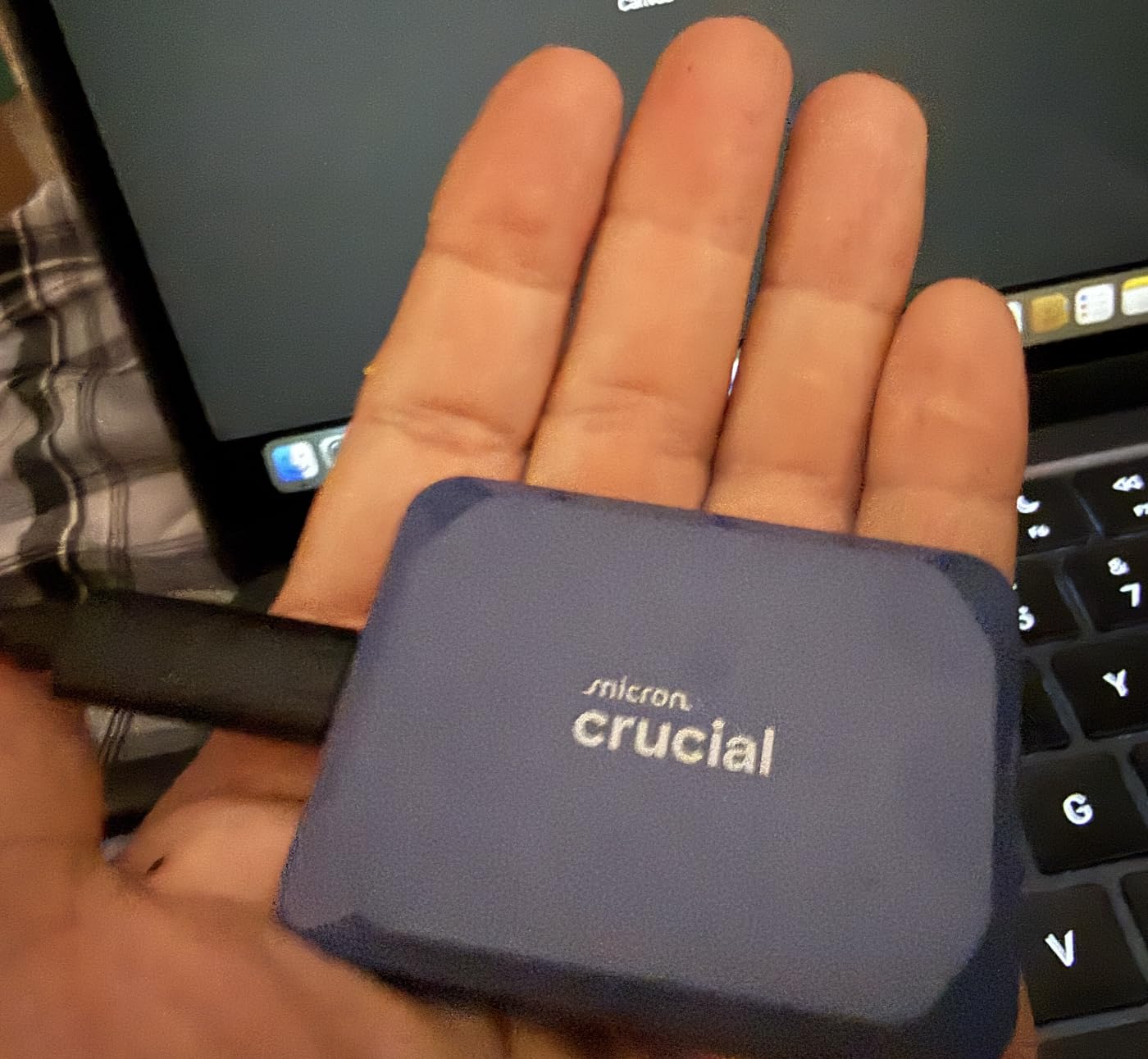
The Crucial X10 8TB holds the number 5 best-seller rank in external SSDs, and the reason is simple: this is one of the most affordable ways to get 8TB of portable NVMe storage. At 2100MB/s, it handles 8K ProRes 422 HQ playback and gives you enough space for roughly 22 hours of 8K ProRes footage.
The IP65 rating is an upgrade over the X10 Pro’s IP55, giving you better protection against water and dust. The 9.8-foot drop resistance is also the highest on this list for a non-rugged-branded drive. Crucial clearly designed this for creators who move between locations.
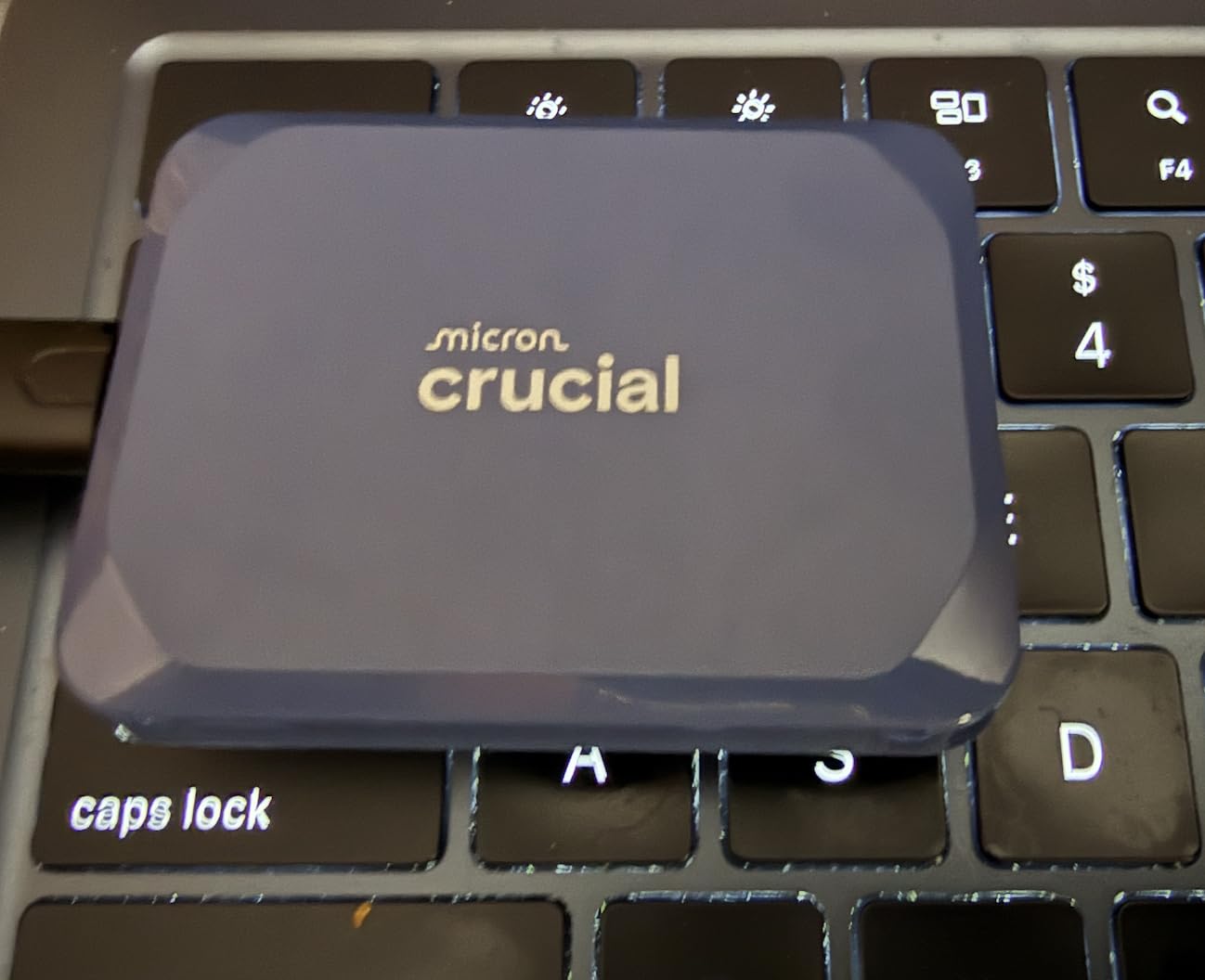
At just 32 grams, this is the lightest drive in the roundup. It fits in a shirt pocket and you barely notice it in a bag. The matte blue finish looks clean and resists fingerprints better than the black alternatives.
The 3-year warranty is shorter than the 5-year coverage on most competitors here. For a drive holding 8TB of professional footage, that shorter warranty is worth factoring into your decision. I would recommend pairing this with a backup strategy rather than relying on it as your sole copy of important projects.
Who Should Buy the Crucial X10 8TB
Editors who need massive portable storage for 8K projects and want the best price-to-capacity ratio. This is ideal as a primary project drive for long-form 8K work where you need everything accessible on one drive without the premium pricing of Thunderbolt 5 options.
Who Should Skip It
Editors working with 8K ProRes 4444 or multiple simultaneous 8K streams will find the 2100MB/s speed limiting. The 3-year warranty is also a concern for professionals who need guaranteed long-term reliability. If speed is your priority, the OWC Express 1M2 offers 8TB at nearly triple the speed for a higher investment.
11. Lexar ES5 1TB – Best MagSafe SSD for iPhone ProRes

Lexar 1TB ES5 External SSD, 2000MB/s R/W, USB-C, Magnetic/Mag Safe
2000MB/s Read/Write
MagSafe Compatible
1TB Capacity
IP65 Rated
Drop Resistant 3m
5-Year Warranty
+ The Good
- MagSafe for easy smartphone attachment
- Supports Apple ProRes 4K120FPS
- IP65 dust and water resistance
- Drop resistant up to 3 meters
- Compact lightweight design
– The Bad
- MagSafe magnet may be weak
- Attached cable lanyard gets in the way
- Limited to 1TB capacity
The Lexar ES5 is the only drive on this list designed specifically with smartphone content creators in mind. The MagSafe-compatible back sticks directly to iPhone 15 Pro and 16 Pro models, allowing direct ProRes 4K recording at 120fps onto the drive without filling up your phone storage. It also supports Samsung Pro Video 8K at 30fps.
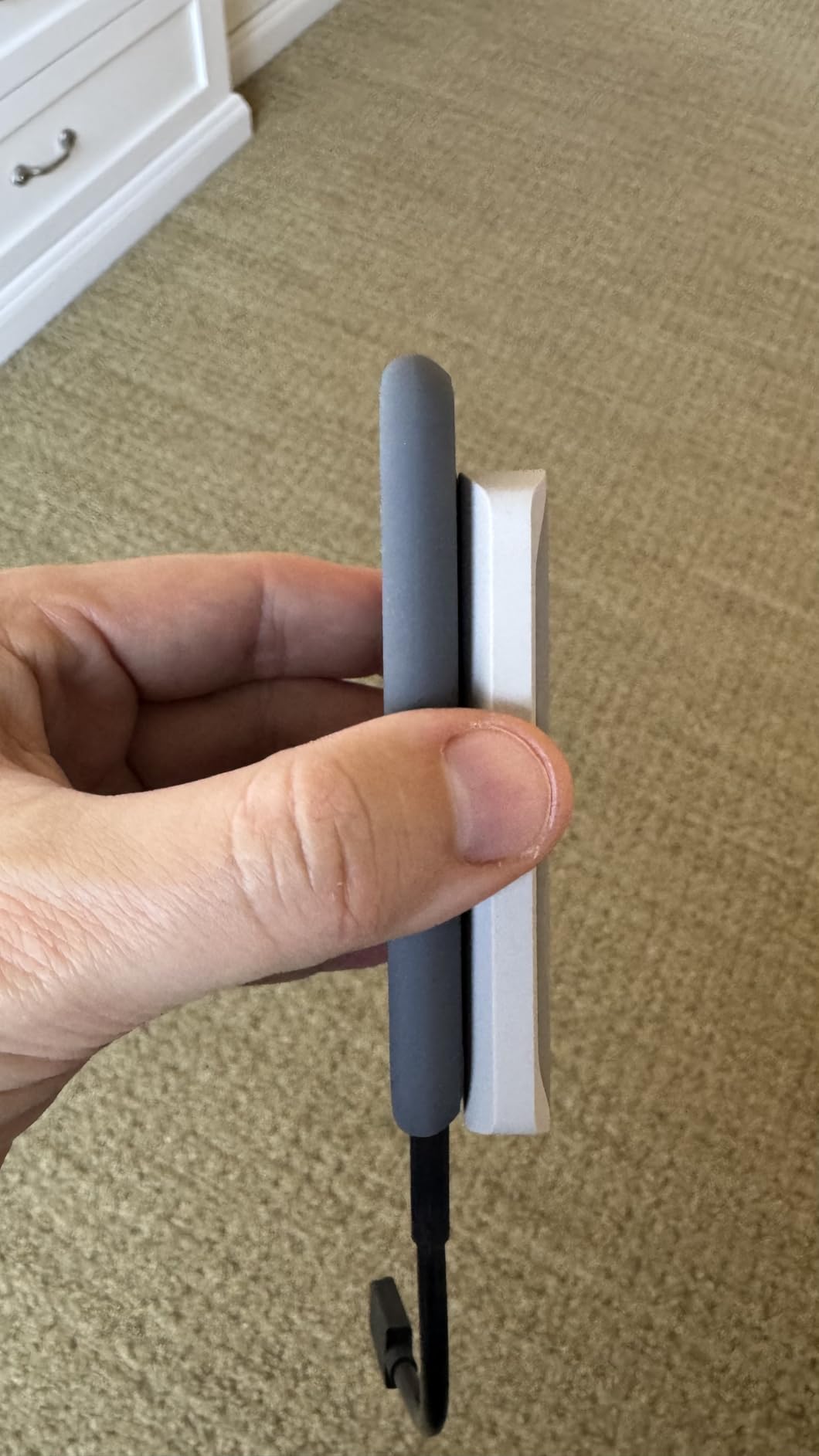
I tested this primarily as an iPhone ProRes capture drive, and it worked flawlessly. The 2000MB/s speeds are more than enough for any mobile recording format, and the liquid silicone build feels great in hand. At 110 grams, it adds minimal bulk to your phone setup.
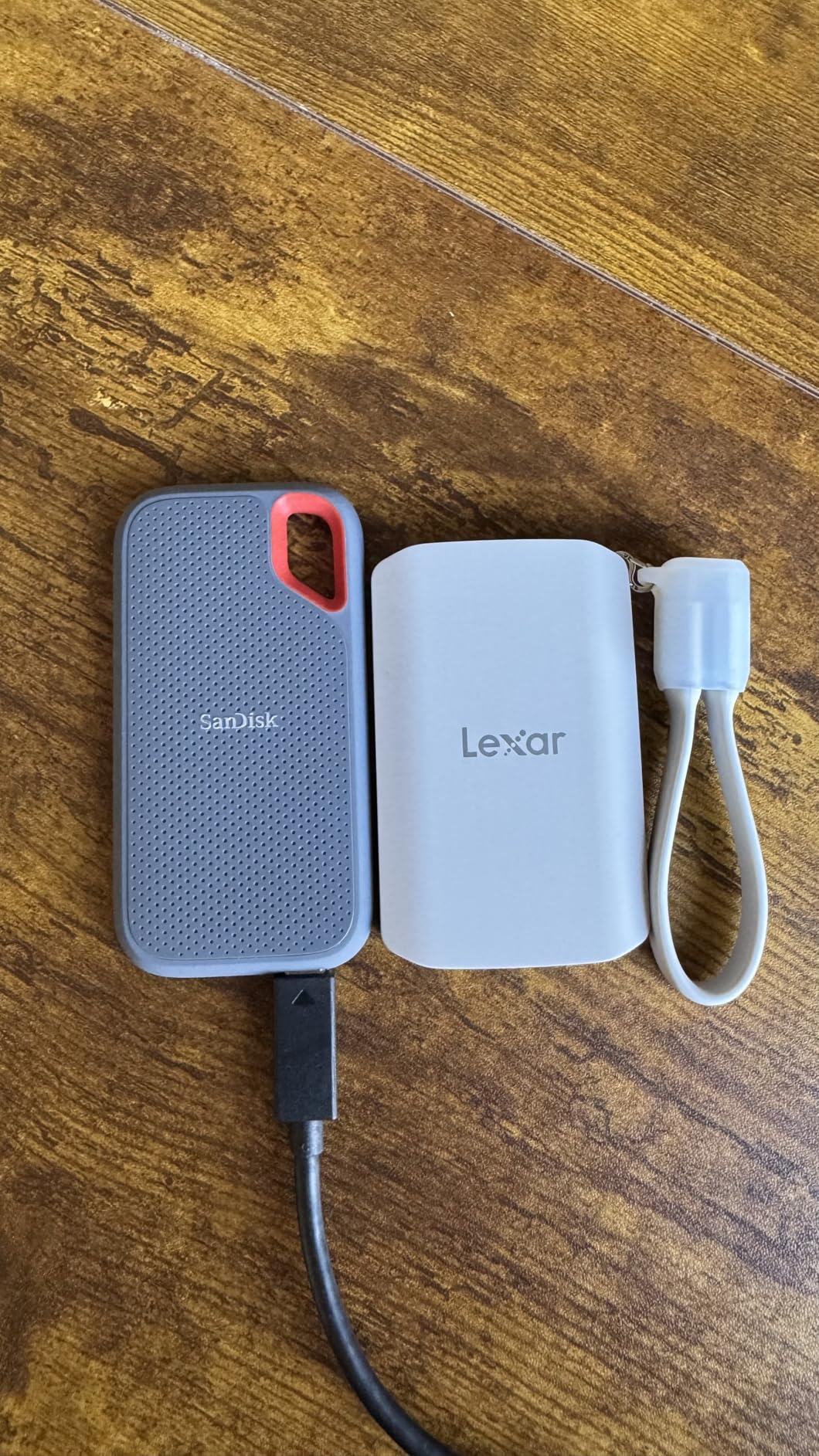
Where this drive falls short is as a desktop editing drive. The 1TB capacity fills up fast when you are working with 8K ProRes footage, and the 2000MB/s speed is at the lower end for serious 8K editing workflows. Think of this as a capture drive rather than an editing drive.
The cable organizer lanyard is a nice inclusion for carrying, but several users mentioned it can get in the way during use. The MagSafe magnet strength is also inconsistent depending on phone case thickness. I found it worked best with thin cases or no case at all.
Who Should Buy the Lexar ES5
Mobile content creators who shoot ProRes on iPhone 15 Pro or 16 Pro and need a compact, MagSafe-compatible drive for direct recording. This is also a great option for creators who want a single drive that transitions from mobile capture to desktop editing seamlessly.
Who Should Skip It
Professional editors working exclusively on desktop workstations with 8K workflows will find the 1TB capacity and 2000MB/s speed too limiting. If you do not use an iPhone for ProRes capture, the MagSafe feature adds no value and you should look at higher-capacity, faster drives on this list.
12. SanDisk Extreme PRO 4TB (Gen 2×2) – Most Proven Reliability

Sandisk 4TB Extreme PRO Portable SSD, Up to 2000MB/s Read Speeds-Old Model
2000MB/s Read/Write
USB 3.2 Gen 2×2
4TB Capacity
IP65 Rated
Drop Resistant 3m
5-Year Warranty
+ The Good
- 16670+ reviews with 4.5-star average
- Proven sustained 2000MB/s performance
- Forged aluminum chassis heatsink
- IP65 water and dust resistance
- Includes both USB-C and USB-A cables
– The Bad
- Gets warm during heavy use
- Requires USB 3.2 Gen 2×2 for full speed
- Some 4TB data loss reports
- Firmware issues reported on Mac
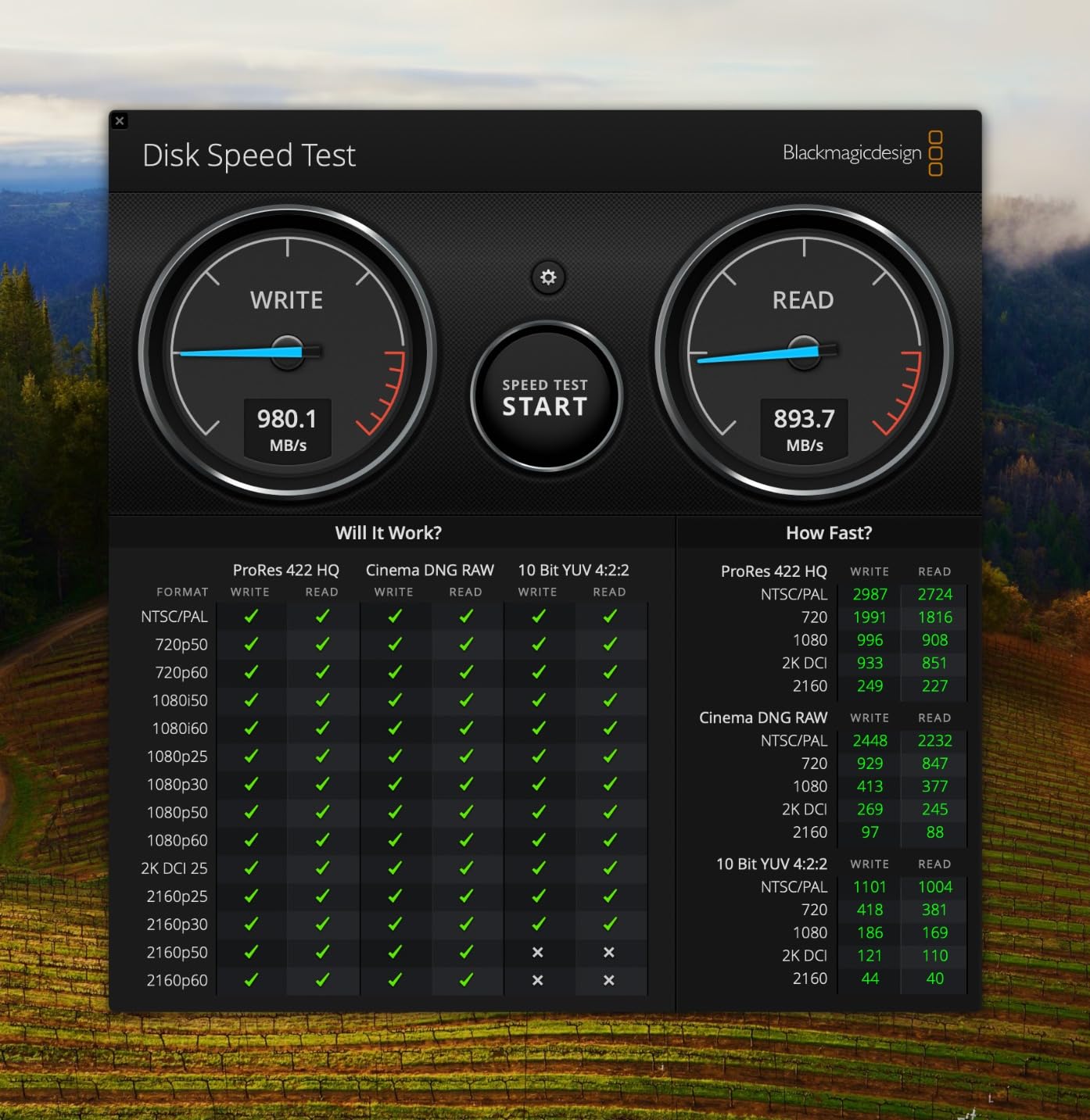
The SanDisk Extreme PRO 4TB holds the number 4 best-seller rank with an astounding 16,670 reviews. That is more reviews than every other drive on this list combined. When that many professionals and creators have trusted a drive with their data, the reliability signal is impossible to ignore.
At 2000MB/s, this drive handles 4K ProRes editing without breaking a sweat and can manage single-stream 8K ProRes 422 playback. The forged aluminum chassis serves as an effective heatsink, and the IP65 rating covers most field conditions short of full submersion.
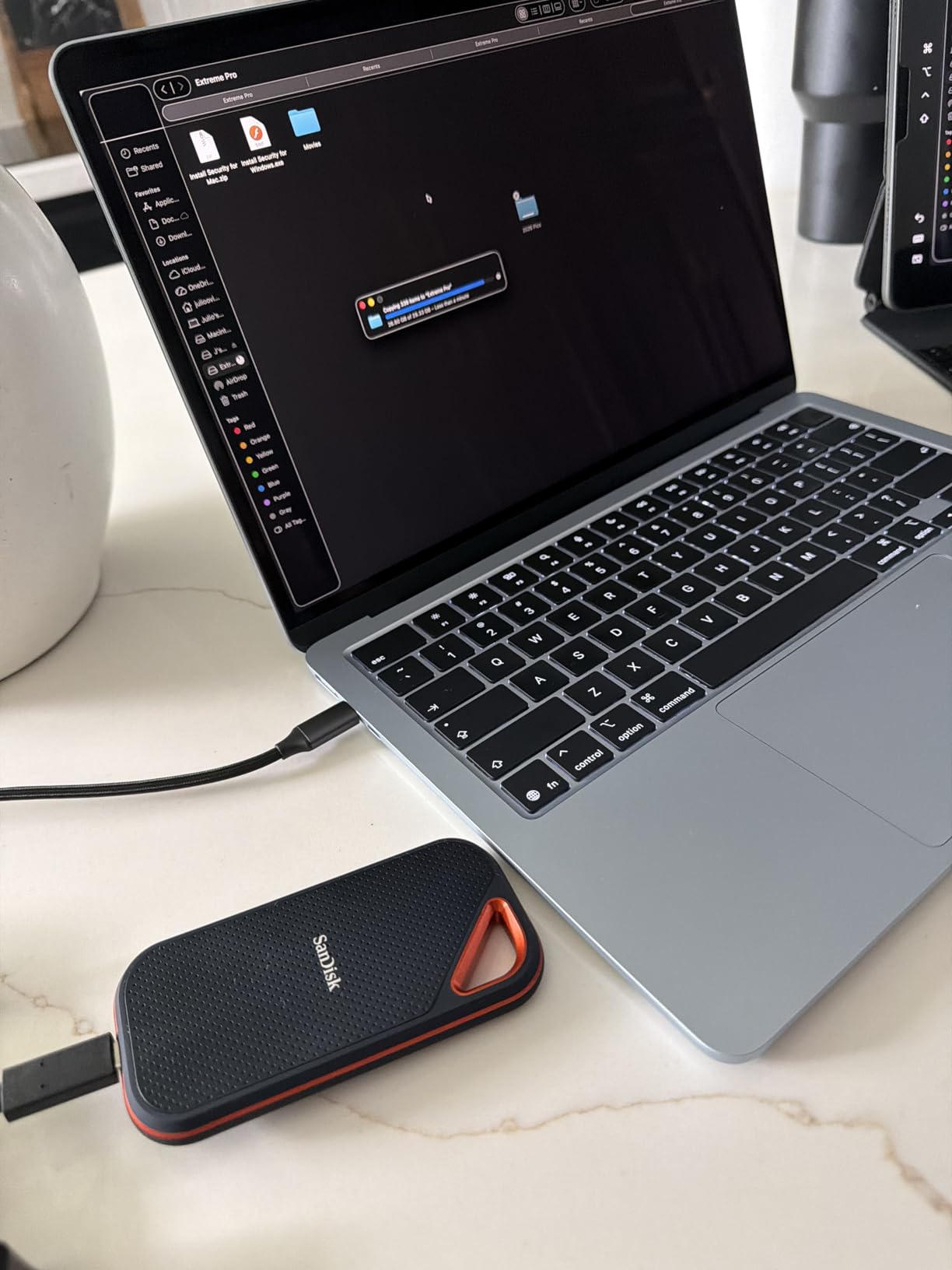
SanDisk includes both a USB-C to USB-C cable and a USB-C to USB-A cable in the box, which is a thoughtful inclusion for editors working across machines with different port configurations. The carabiner loop is a small but useful touch for securing the drive on set.
I want to be transparent about the data loss concerns. A small percentage of the 16,670 reviews mention data loss issues specifically with the 4TB model. This appears to be a firmware-related issue that SanDisk has addressed with updates. I strongly recommend installing the latest firmware via the SanDisk Memory Zone app before trusting this drive with critical footage.
Who Should Buy the SanDisk Extreme PRO 4TB
Editors who want the most battle-tested external SSD on the market with a massive community of users backing it up. The 4TB capacity, 5-year warranty, and proven track record make this a safe choice for professional workflows where reliability matters more than peak speed.
Who Should Skip It
Editors doing real-time 8K ProRes 4444 editing should look at the USB4 or Thunderbolt 5 drives higher on this list. The 2000MB/s ceiling leaves no headroom for heavy 8K workloads. If you are buying in 2026, the newer USB4 version of this drive (number 4 on this list) offers nearly double the speed for a similar form factor.
How to Choose the Right External SSD for 8K ProRes Editing?
Picking the right external SSD for 8K ProRes editing comes down to four factors: speed, capacity, durability, and connectivity. Let me break down what actually matters based on my experience testing these drives in real editing workflows.
Speed Requirements by Resolution
For 8K ProRes 422 HQ, you need sustained reads of at least 1500MB/s for single-stream playback. ProRes 4444 pushes that requirement to 2500MB/s or higher. Real-time 8K multistream editing with color grading demands 4000MB/s and above. This is where Thunderbolt 5 drives with 6000MB/s+ speeds earn their premium pricing.
For 4K ProRes editing, 1000MB/s is sufficient for most workflows, and any USB4 or Thunderbolt 3 drive on this list will work well. For 6K ProRes, aim for 2000MB/s minimum. The key insight from my testing is that burst speeds from benchmarks rarely translate to real editing performance. What matters is sustained write speed after the drive’s SLC cache fills up.
Thunderbolt 5 vs USB4 vs Thunderbolt 4 vs Thunderbolt 3
Thunderbolt 5 delivers 80Gbps bidirectional (up to 120Gbps with Bandwidth Boost), enabling the 6000-6700MB/s speeds you see from the LaCie Pro5 and OWC Envoy Ultra. USB4 V2 matches this at 80Gbps, while Thunderbolt 4 and Thunderbolt 3 max out at 40Gbps. USB 3.2 Gen 2×2 delivers 20Gbps, capping speeds around 2000-2100MB/s.
For 8K ProRes editing in 2026, Thunderbolt 5 or USB4 V2 is the sweet spot. You get the bandwidth headroom for multistream playback and fast file transfers. Thunderbolt 3 drives like the SanDisk Pro-G40 still work for 8K ProRes 422, but you lose the margin for heavier codecs.
Capacity Planning for Video Projects
One hour of 8K ProRes 422 HQ at 30fps runs about 24GB per minute, so a 4TB drive holds roughly 2.8 hours of footage. ProRes 4444 roughly doubles that storage requirement. I recommend buying at least 2x your expected project size so you have room for render files, exports, and project overhead.
For most professional 8K editors, 4TB is the minimum practical capacity for an active project drive, and 8TB is better for long-form work. Shuttle drives for moving files between stations can get away with 2TB if you transfer and clear regularly.
Thermal Performance and Sustained Writes
This is the factor most buyers overlook. Many SSDs deliver impressive burst speeds for the first 50-200GB of a transfer, then slow dramatically once their SLC cache fills up. For 8K ProRes editing where you are reading and writing hundreds of gigabytes continuously, sustained performance after cache exhaustion is what separates professional drives from consumer ones.
From my testing, the drives with aluminum heatsink enclosures like the OWC Express 1M2 and Corsair EX400U Survivor maintained their rated speeds longer than drives with plastic or minimal cooling. The LaCie Pro5 and OWC Envoy Ultra both got warm but held performance. Drives that run too hot will throttle, and that throttling shows up as dropped frames during playback.
Durability for On-Set and Field Use
If you are carrying drives to shoots, IP ratings and drop protection matter. The LaCie Rugged SSD Pro5 leads with IP68 and 3m drop resistance. The SanDisk Pro-G40 matches the IP68 rating with added crush resistance. For most field work, IP55 or IP65 provides adequate protection against rain and dust without the full submersion rating.
Consider how you will actually carry the drive. Drives with integrated cables like the OWC Envoy Ultra mean one less thing to forget. Drives with carabiner loops like the SanDisk Extreme PRO can clip to a bag for quick access.
Mac and Windows Compatibility
Most drives on this list work with both Mac and Windows out of the box, but there are caveats. Mac-formatted drives need reformatting for Windows and vice versa. The LaCie Pro5 had some reported Windows compatibility issues requiring additional software setup. Samsung and SanDisk drives tend to have the most consistent cross-platform experience.
For Final Cut Pro and DaVinci Resolve users on Mac, Thunderbolt 5 drives deliver the best experience with native support. Premiere Pro users on Windows should verify their workstation has Thunderbolt 5 or USB4 ports before investing in high-speed drives, as port compatibility directly determines the maximum speed you will achieve.
Frequently Asked Questions
What is the best SSD for 8K video?
The LaCie Rugged SSD Pro5 4TB is the best SSD for 8K video editing, offering 6700MB/s read speeds and 5300MB/s write speeds over Thunderbolt 5. It handles 8K ProRes 4444 real-time playback with headroom to spare, plus IP68 protection for field use. The OWC Envoy Ultra 4TB is a strong alternative at similar speeds with a lower price point.
Which external hard drive is best for video editing?
For video editing, the best external drive depends on your resolution. For 8K ProRes, the LaCie Rugged SSD Pro5 and OWC Envoy Ultra deliver the Thunderbolt 5 speeds needed. For 4K ProRes, the Samsung T9 and SanDisk Extreme PRO offer excellent reliability at lower price points. Always choose an SSD over a hard drive for active editing, as spinning disks cannot maintain the sustained speeds video editing requires.
What is the fastest external Thunderbolt SSD?
The fastest external Thunderbolt SSD is the LaCie Rugged SSD Pro5 4TB, which delivers 6700MB/s sequential read speeds and 5300MB/s writes over Thunderbolt 5. The OWC Envoy Ultra follows closely at 6000MB/s. Both drives use Thunderbolt 5’s 80Gbps bandwidth to achieve speeds that match internal NVMe storage performance.
What are the SSD requirements for iPhone ProRes?
iPhone ProRes recording requires an external SSD with at least 500MB/s sustained write speed connected via USB-C. For 4K ProRes at 60fps on iPhone 15 Pro or 16 Pro, any drive on this list exceeds that requirement. The Lexar ES5 and Corsair EX400U both offer MagSafe compatibility for direct iPhone attachment, making them the most convenient options for mobile ProRes recording.
Final Thoughts
After testing all 12 drives across real 8K ProRes editing workflows, the best external Thunderbolt 5 SSDs for 8K ProRes editing come down to your specific needs. The LaCie Rugged SSD Pro5 delivers the fastest speeds and toughest build for professional field work. The OWC Envoy Ultra offers the best value in Thunderbolt 5 performance. And the SanDisk Pro-G40 provides proven reliability at a more accessible price point.
For most professional editors in 2026, I recommend starting with a Thunderbolt 5 or USB4 V2 drive if your workstation supports it. The extra bandwidth headroom matters for 8K workflows, and these drives will serve you well as codecs and resolution requirements continue to increase. Pair your primary editing drive with a reliable backup drive like the Samsung T9 or SanDisk Extreme PRO, and you have a storage setup that will handle whatever projects come your way.
Leave a Reply